How To Use an EasySign Template
(See Figure 1 to Figure 3)
To use a template, perform the following steps:
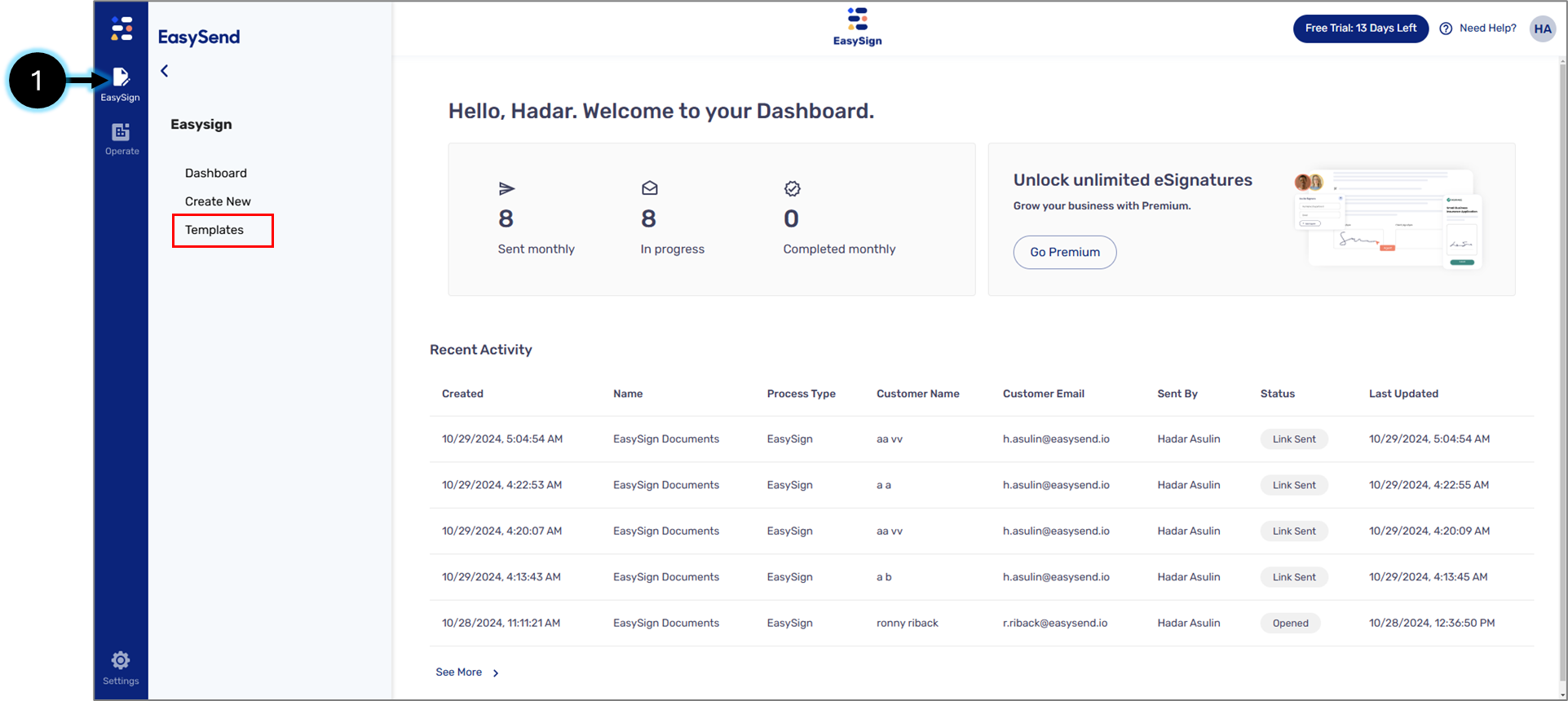
Figure 1: EasySign Tab
- Click the EasySign tab (1) and then the Templates option.
Result:
The Templates screen appears:
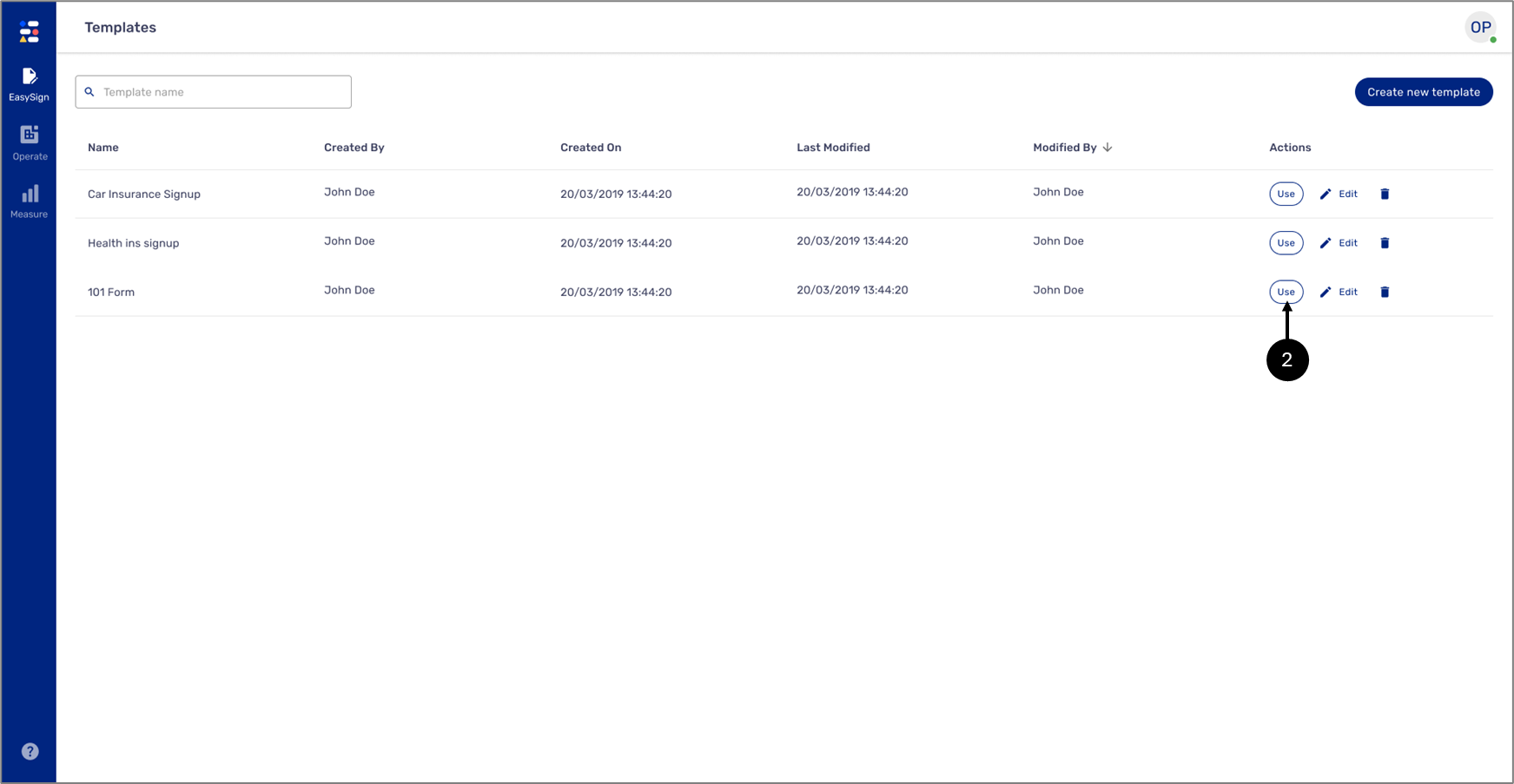
Figure 2: Edit Button
- Click the Use button (2) of the desired template.
Result:
The Use Template screen appears with the selected template:
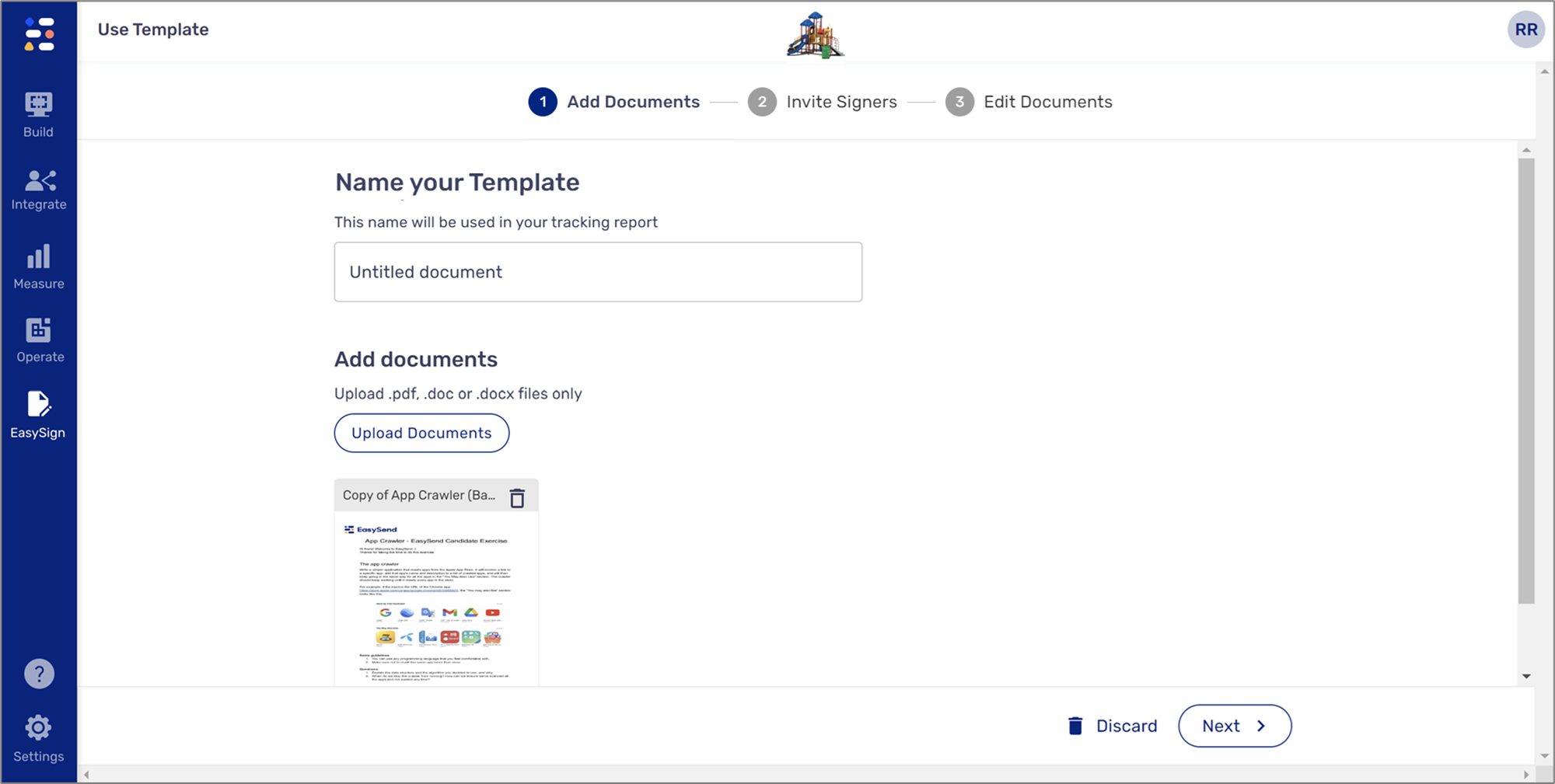
Figure 3: Use Template Screen