Article Overview
The following article outlines the steps to roll back an existing process from the new Workflow Manager to the old version.
Overview
For maintenance and troubleshooting purposes, EasySend allows you to manually roll back existing processes from the new Workflow Manager to the old version.
How to Perform a Rollback
(See Figure 1 to Figure 5)
To roll back existing processes from the new Workflow Manager to the old version, perform the following steps:
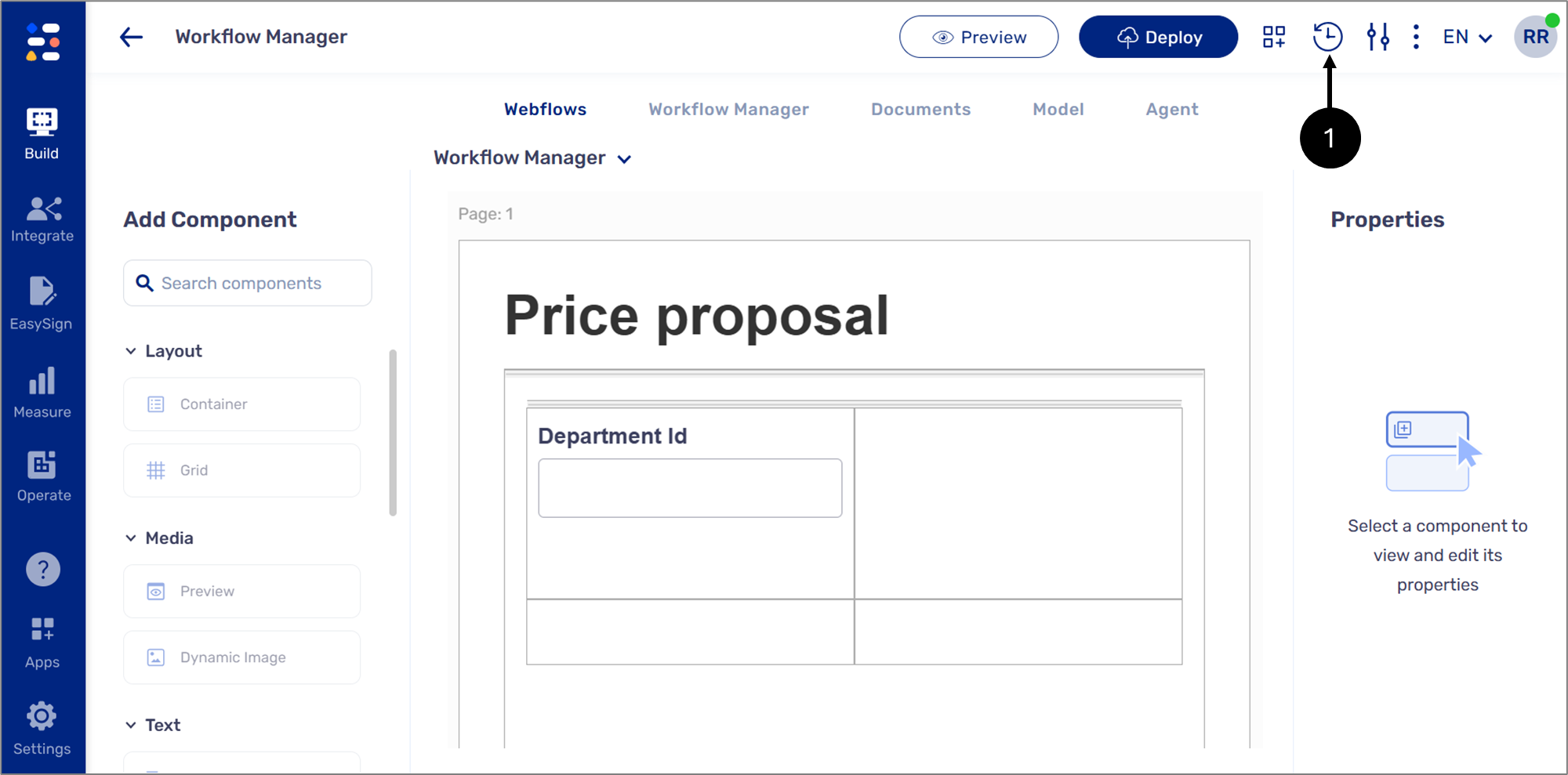
Figure 1: Versions Icon
- Click the Versions icon (1).
Result:
The Versions screen appears:
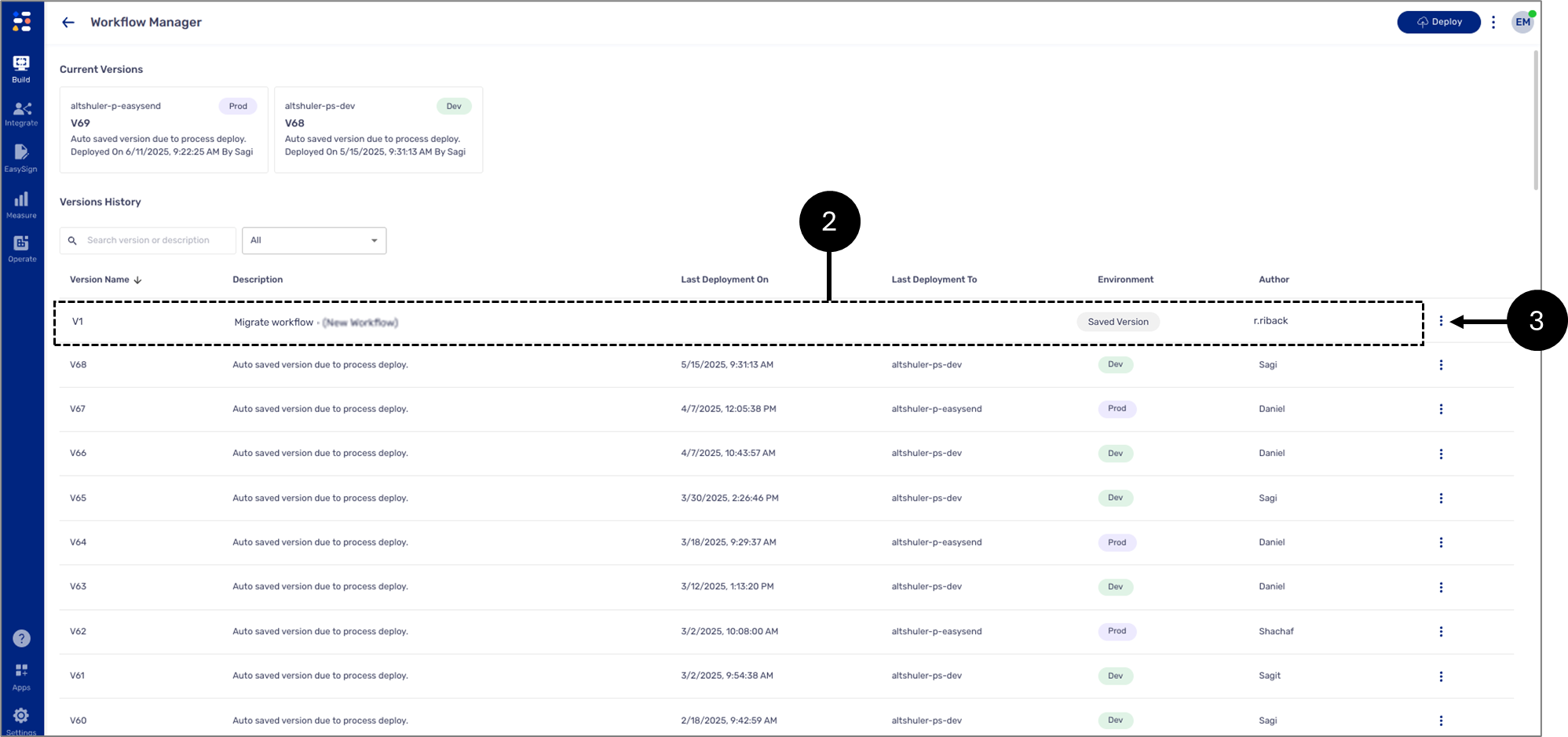
Figure 2: Versions Screen
- Locate the desired version (2).
- Click the icon (3).
Result:
The following options appear:
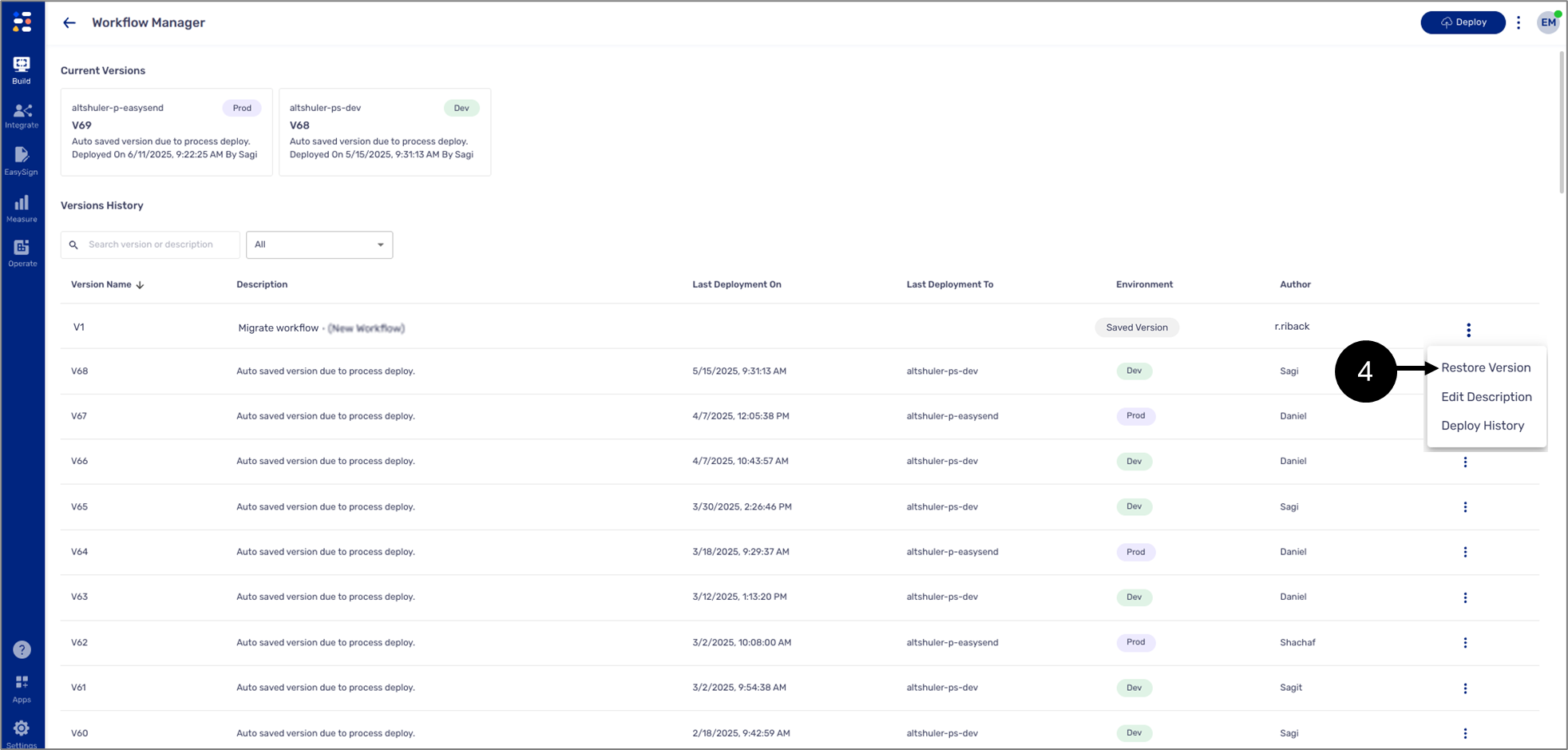
Figure 3: Restore Version
- Click Restore Version (4).
Result:
The following window appears:
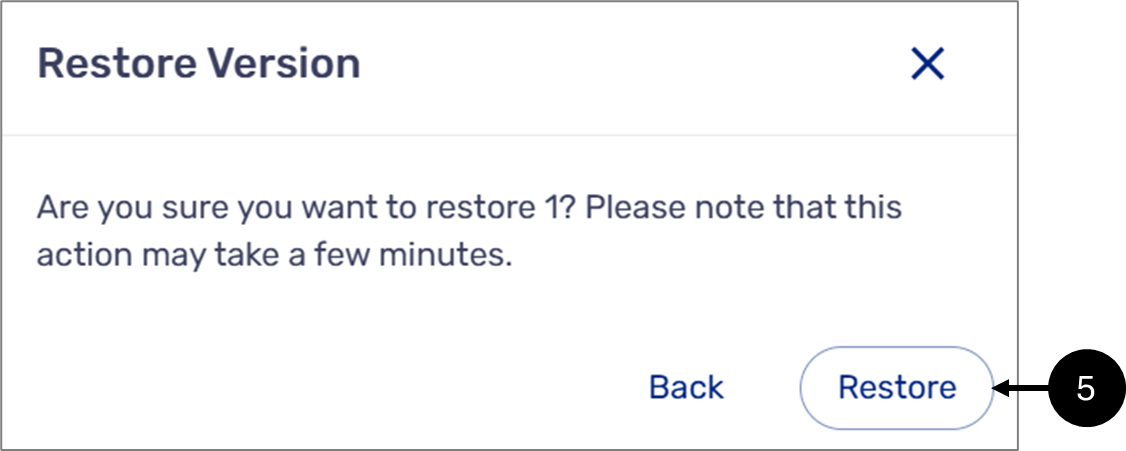
Figure 4: Restore
- Click Restore (5).
- Wait for the migration process to finish.
Result:
A confirmation message appears (6), and a new version is created (7):
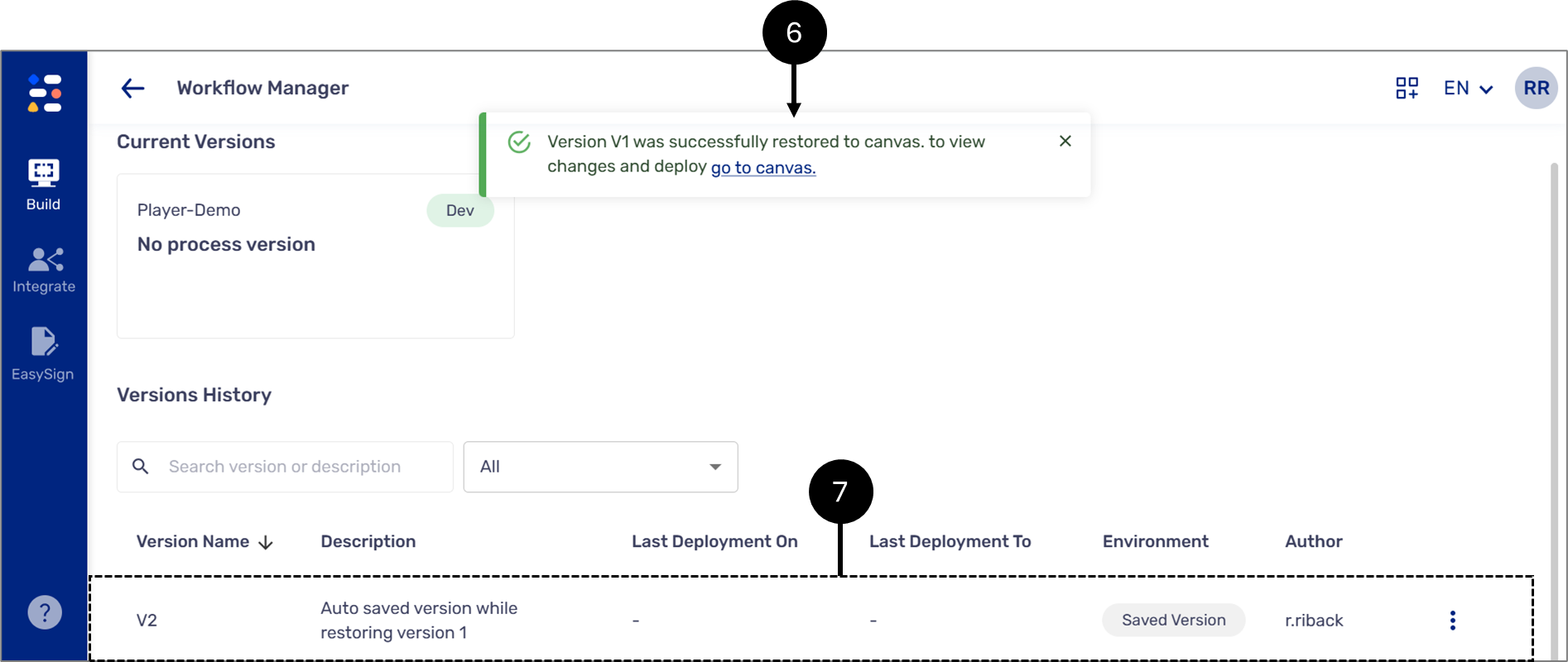
Figure 5: Confirmations