Article Overview
The following article describes how to use Dataverse and Salesforce for multiple records.
Multiple Records Options
(See Figure 1 and Figure 2)
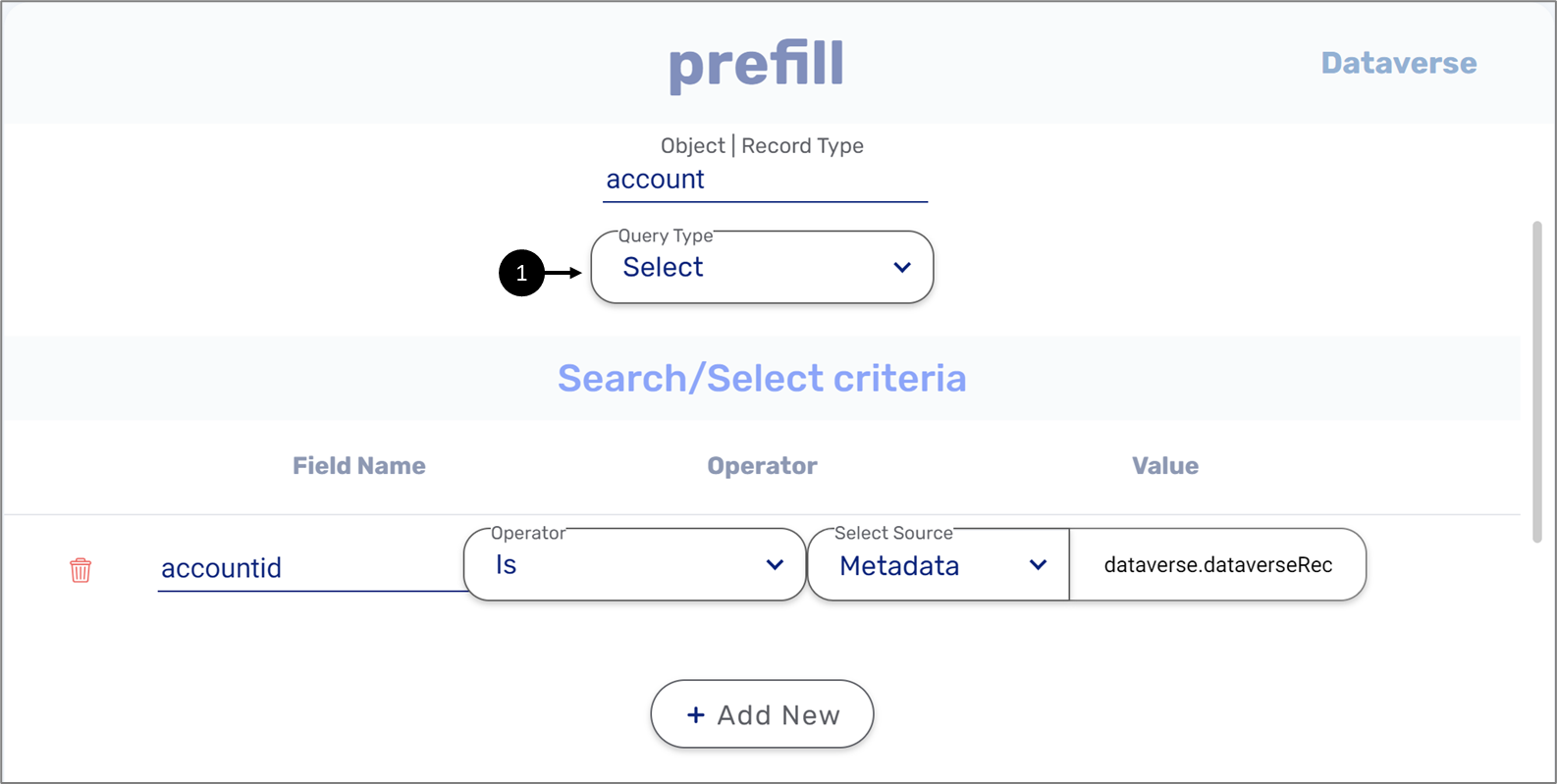
Figure 1: Select Query
Salesforce and Dynamics queries can return multiple records as objects from their output. To run additional manipulations for each field in a record, we need to rearrange them as an array. In both Salesforce and Dataverse services, when we are running the Select (1) query, under Behavior Settings we will choose Select All.
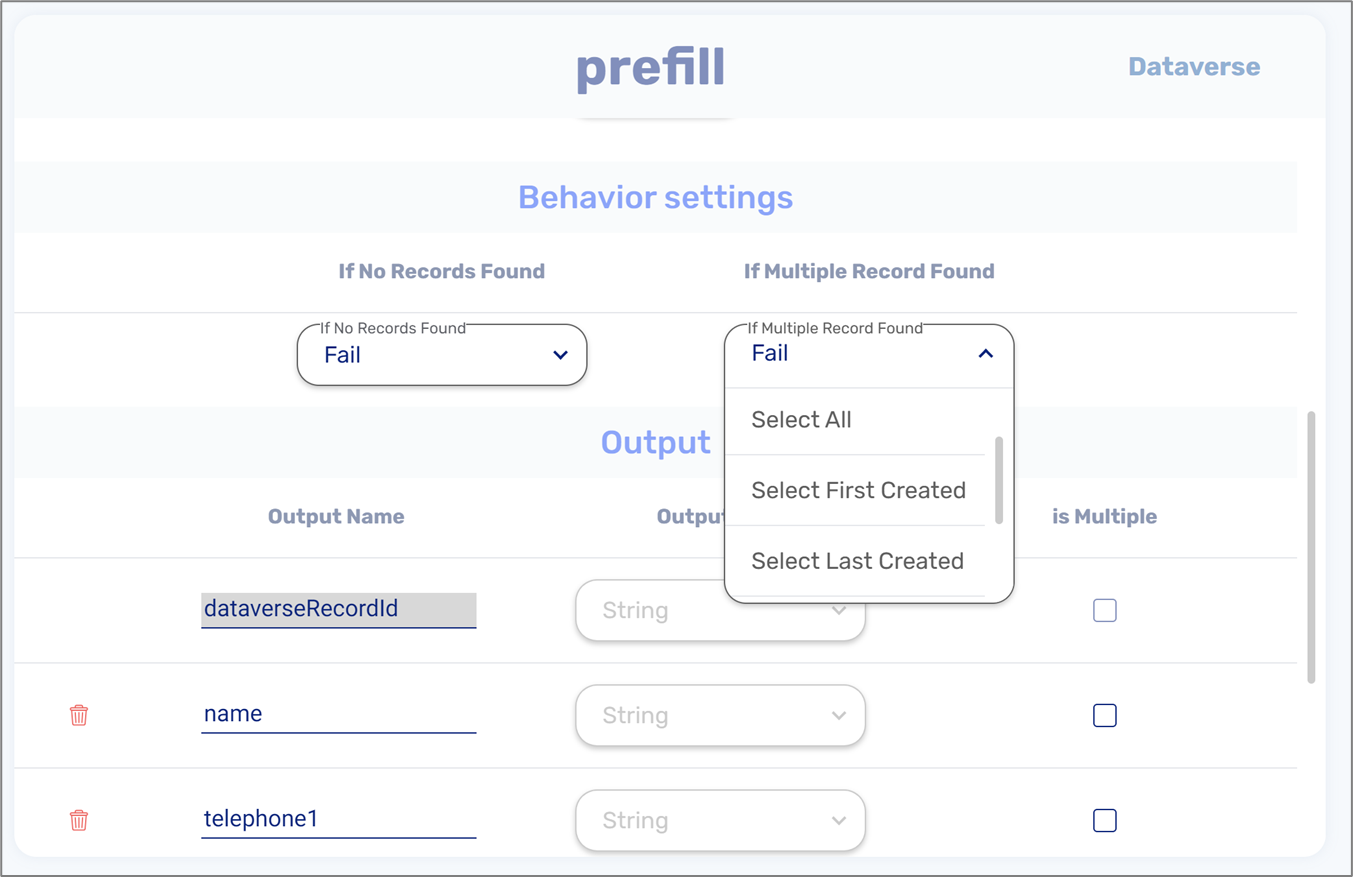
Figure 2: Multiple Records Options
Usage Examples
(See Table 1)
Our Dataverse/Salesforce records include the following information:
Table 1: Records
firstName | lastName | |
Ronny | Riback | r.riback@easysend.io |
Dana | Robbins | dana@gmail.com |
When using the Select All option the records will be returned in the following structure:
{
  [
    "firstname": "Ronny",
    "lastname": "Riabck",
    "email": "r.riback@easysend.io"
  ],
  [
    "firstname": "Dana",
    "lastname": "Robbins",
    "email": "dana@gmail"
  ]
}
How to use the Select All Options
(See Figure 3 to Figure 6)
- After choosing the Select All option, an object (1) is automatically added:
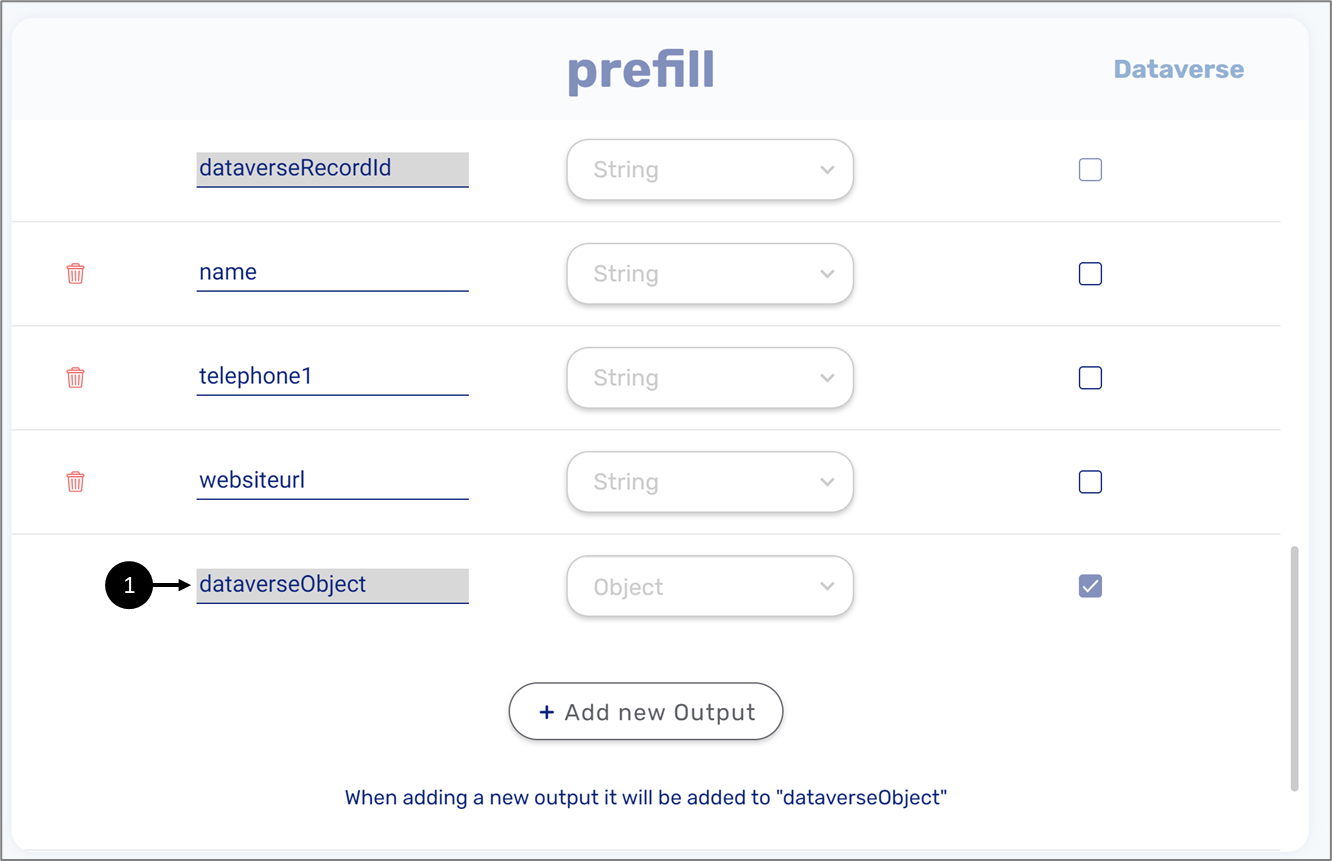
Figure 3: New Object
- In the Outputs screen, we will add the rest of the fields and they will be added to the object automatically.
- For the object we will check the is Multiple checkbox (2) and then click the + (3) to enter the Model screen.
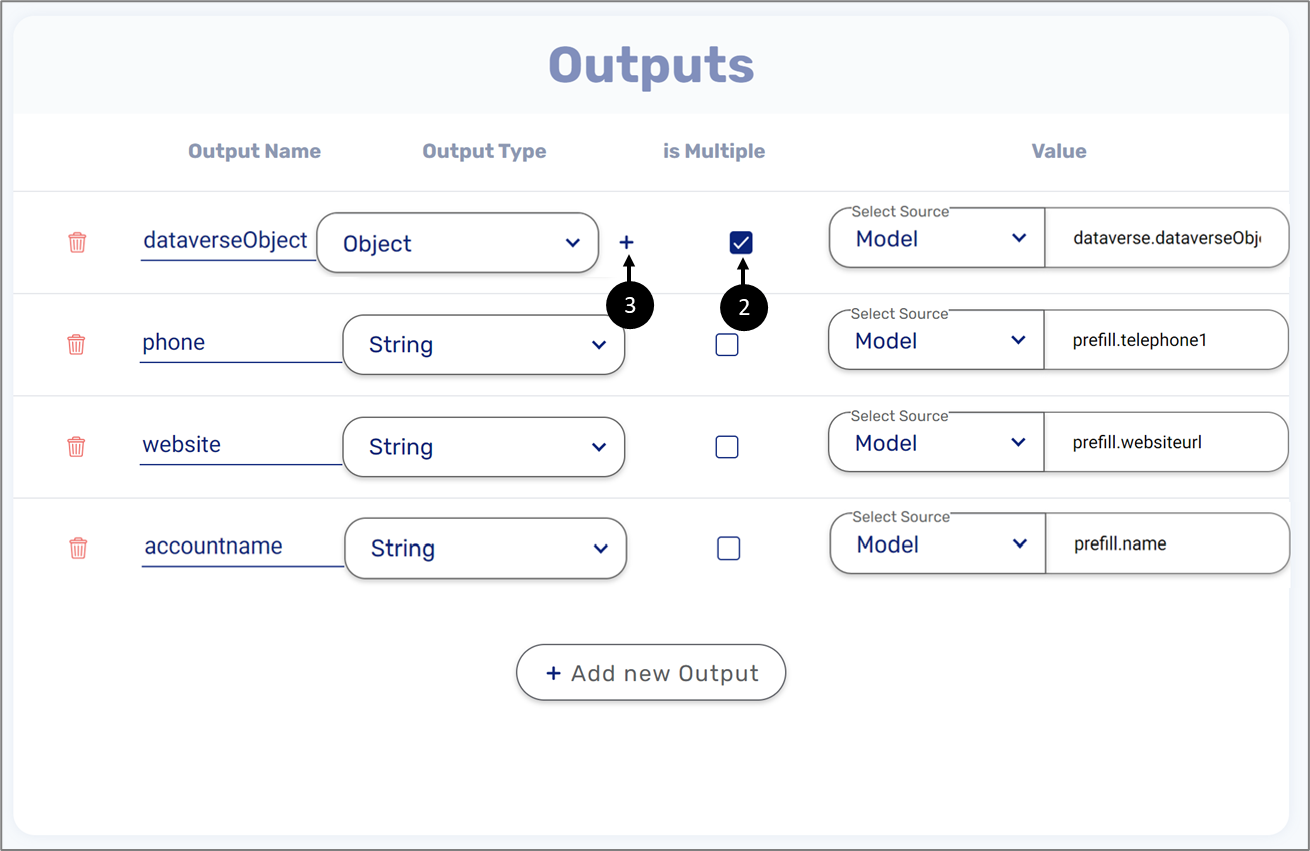
Figure 4: Added Object to Outputs
- In the Model screen, we will check the Is Array checkbox (4) and then click Ok (5).
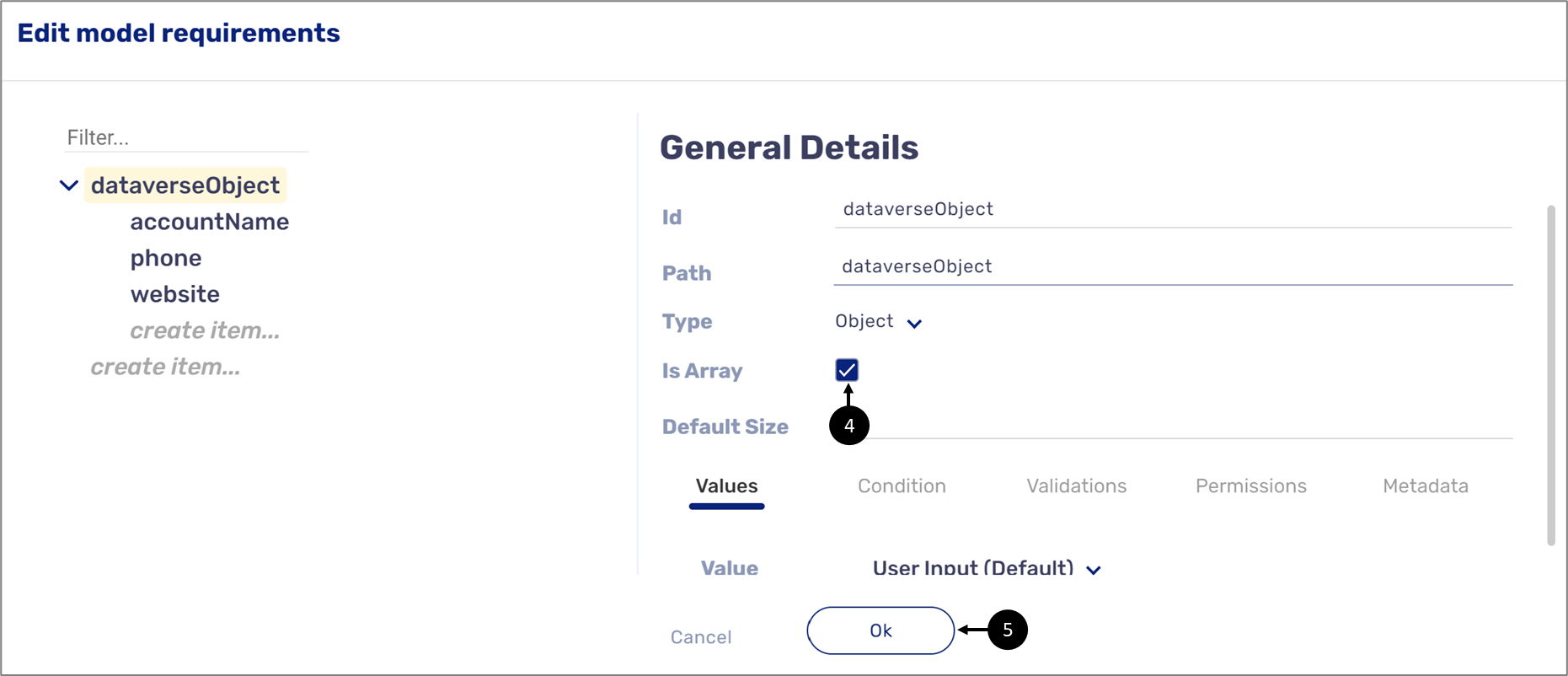
Figure 5: Model Screen
- In the relevant digital process we will set a new object (array) with the same name.
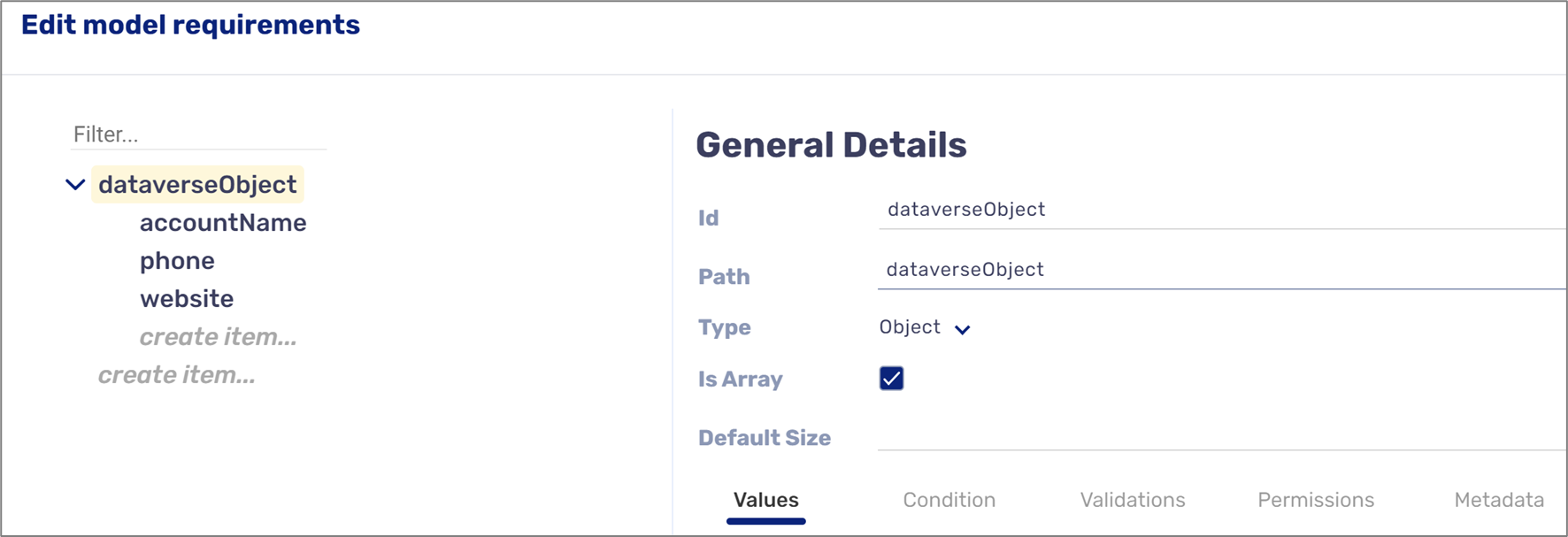
Figure 6: Digital Process Model