Article Overview
The following article describes how to connect your Salesforce environment to a process.
Connecting Your Environment
(See Figure 1 to Figure 5)
Important!
Before connecting your Salesforce environment, ensure your user has the appropriate permissions (API Enabled).
To connect your Salesforce environment, perform the following steps:
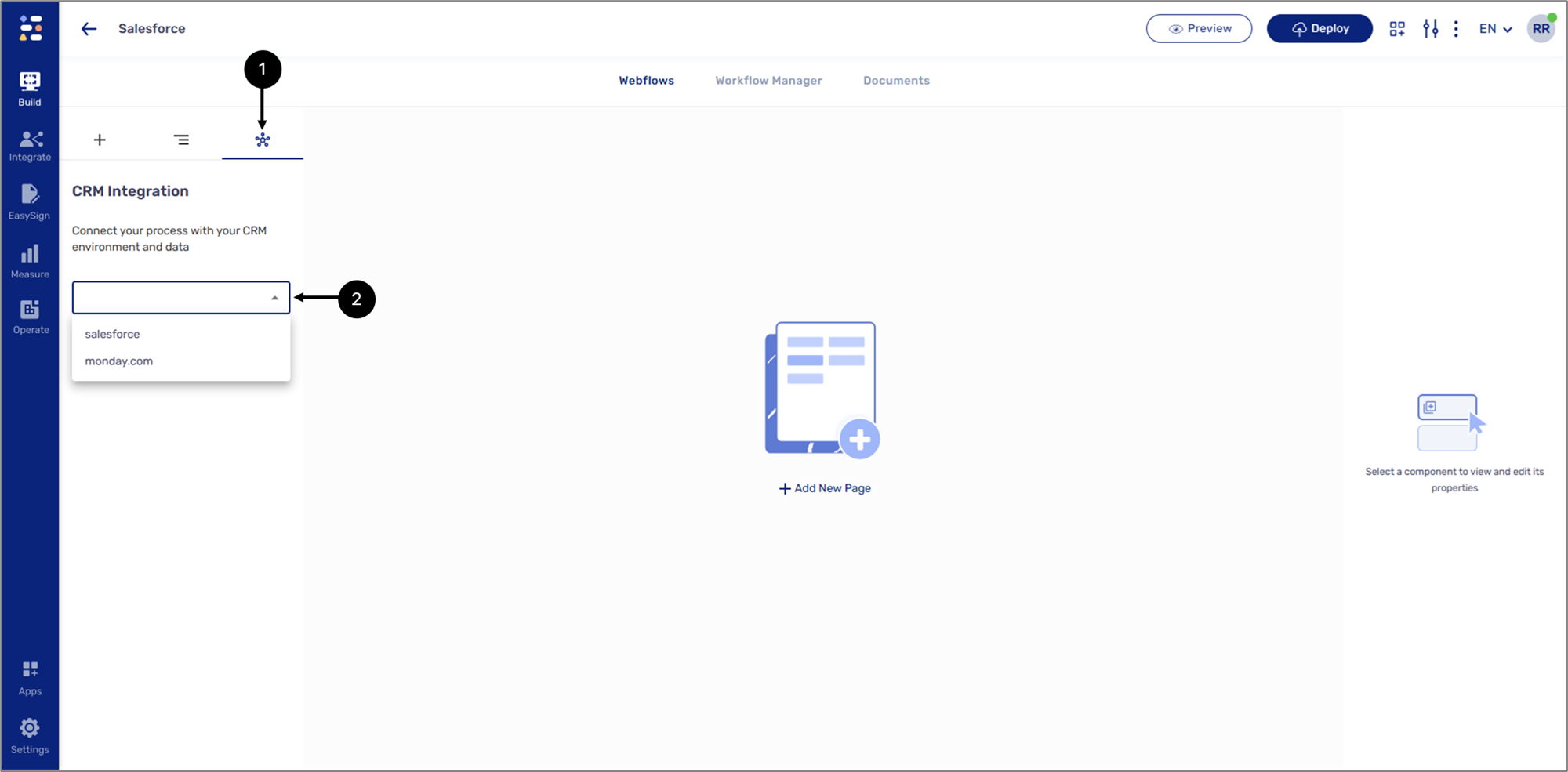
Figure 1: Connecting the CRM Environment
- Click the CRM icon (1).
- Select your CRM, for example, Salesforce (2).
Result:
The Source dropdown appears:
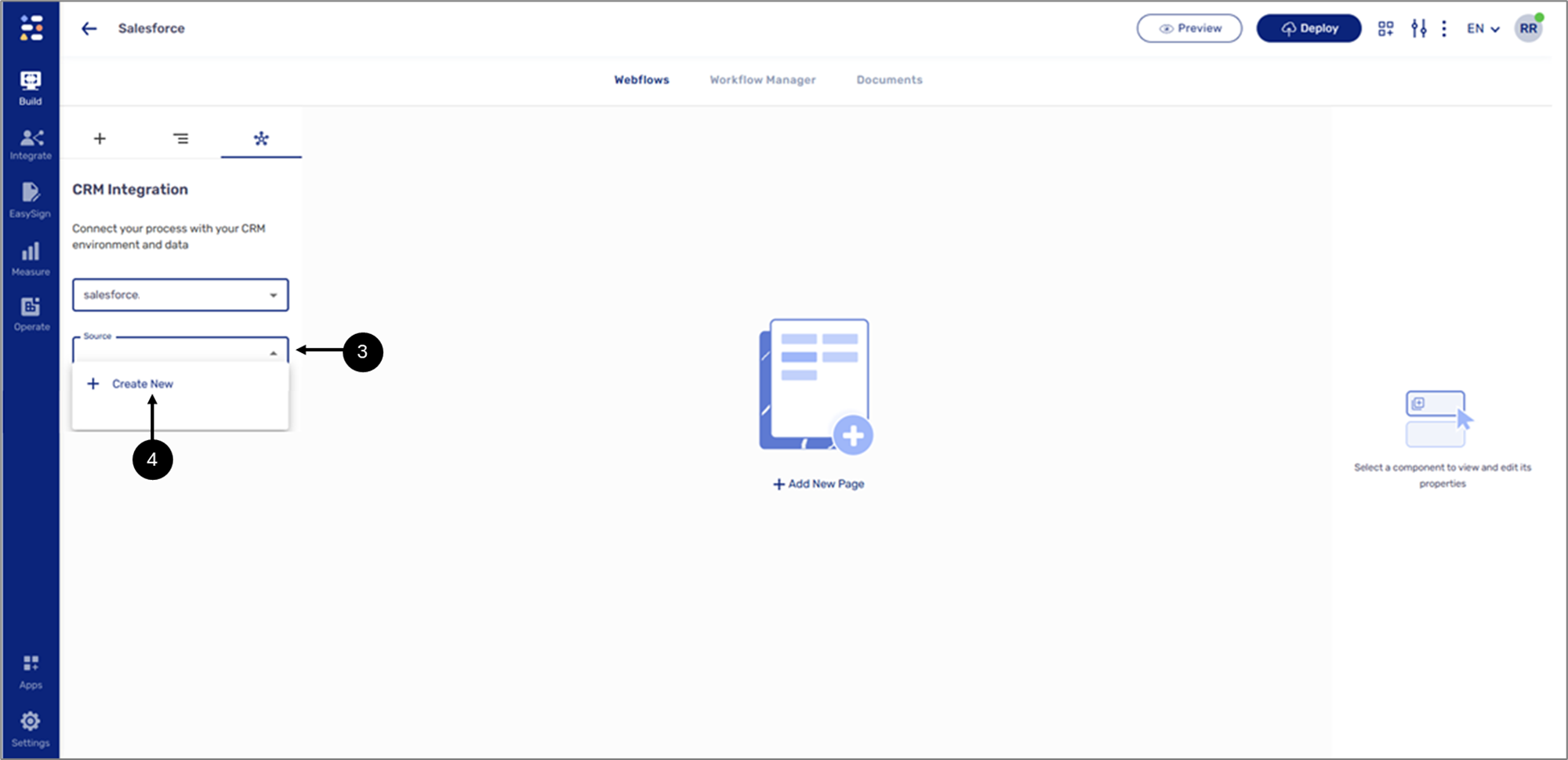
Figure 2: Source Dropdown
- Click the Source dropdown (3).
- Click + Create New (4).
Result:
The Create New Salesforce Resource window appears:
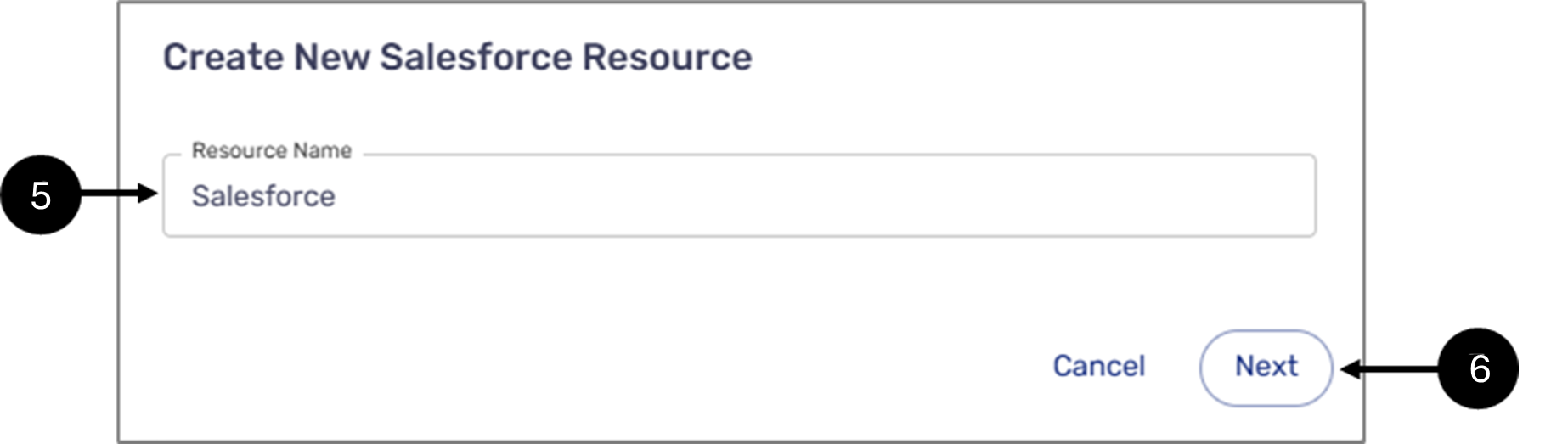
Figure 3: Create New Salesforce Resource Window
- Enter a Resource Name (5).
- Click Next (6).
Result:
A Salesforce login window appears:
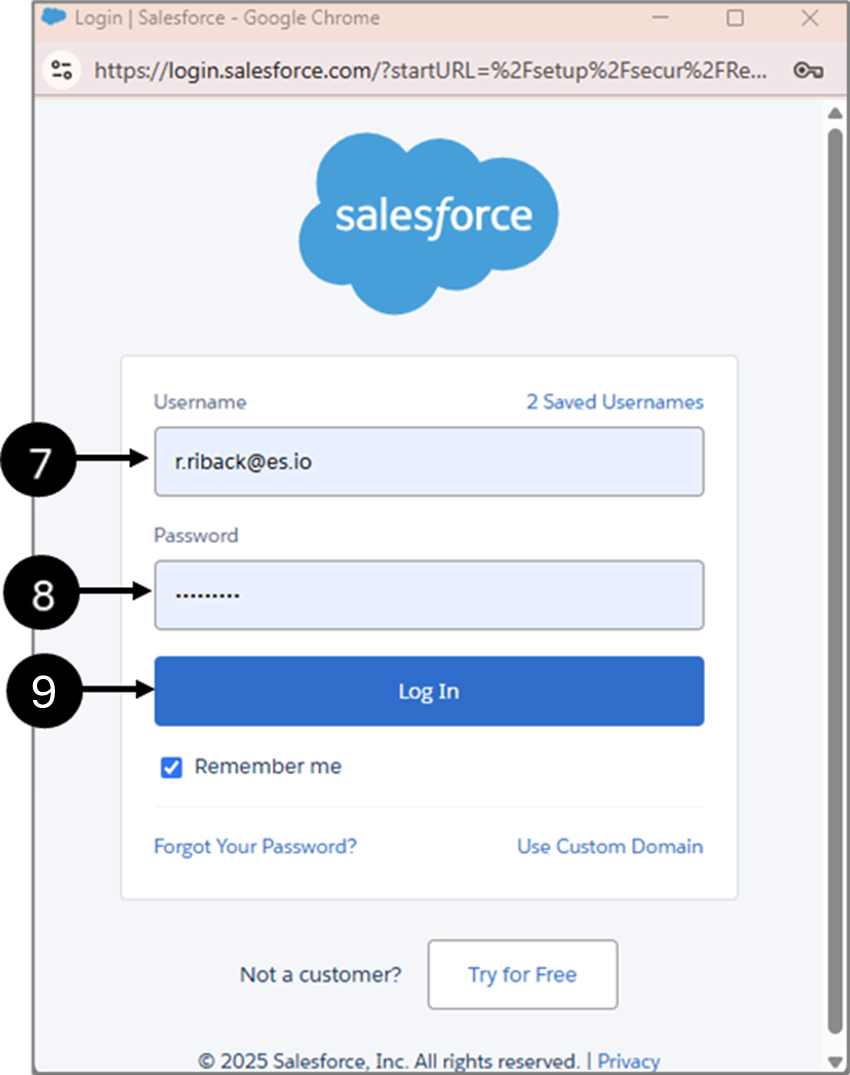
Figure 4: Salesforce Login Window
- Enter a Username (6).
- Enter a Password (7).
- Click Log In (8).
Result:
The Object dropdown appears (10), indicating a successful connection:
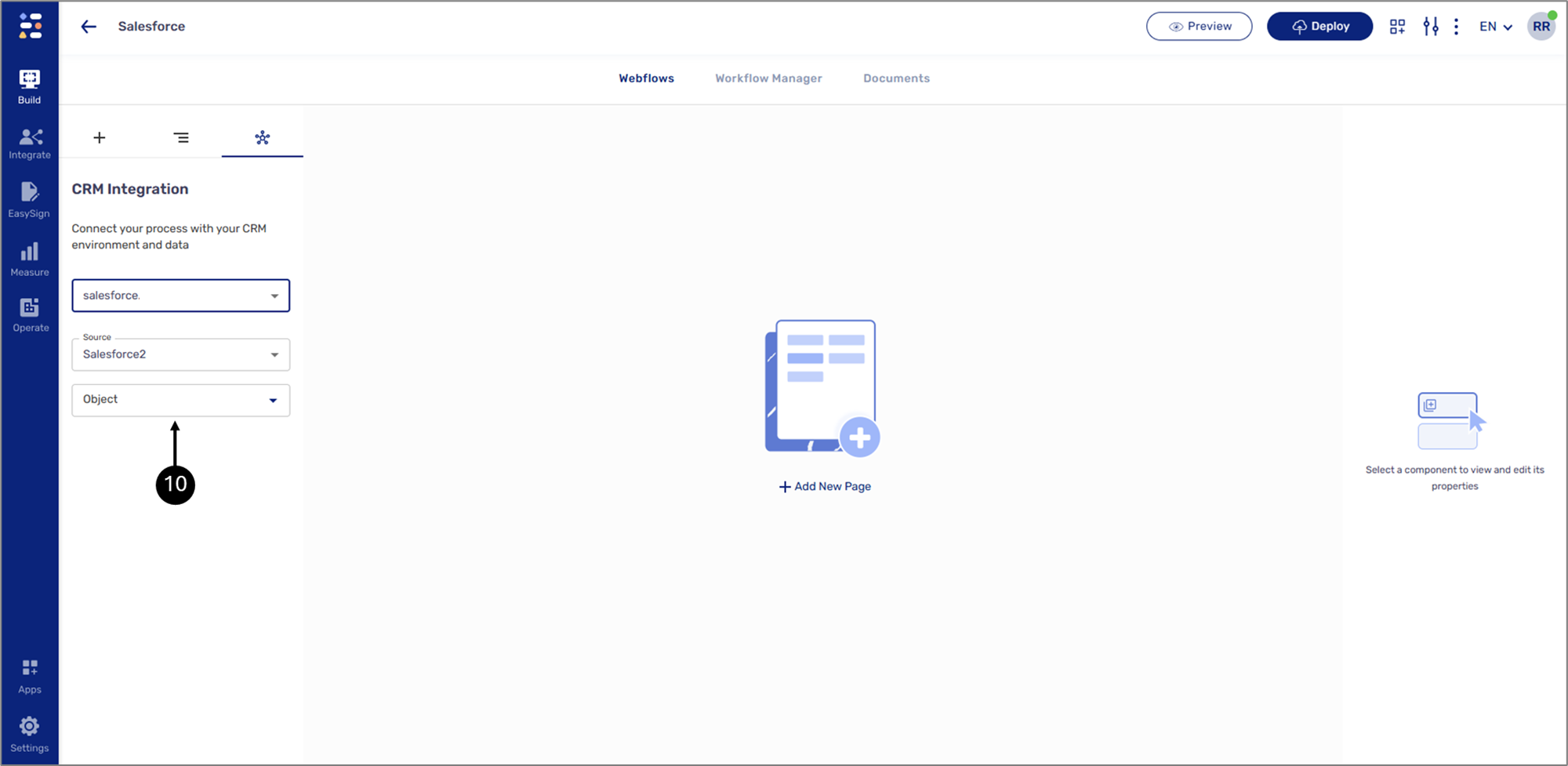
Figure 5: Object
Important!
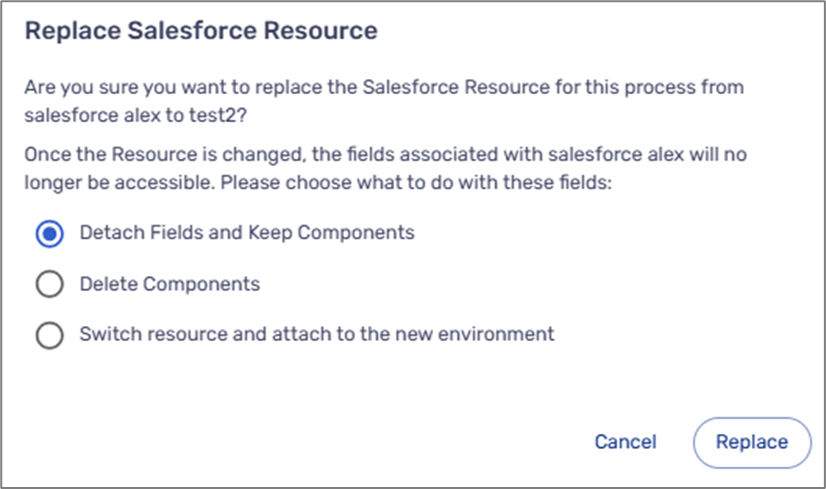
If you switch between CRM environments after adding components, the following message will appear: