Article Overview
The following article describes how to troubleshoot a PDF upload error.
PDF Upload Error
In some cases, when a PDF contains compressed accessibility tags, an error will appear (see Figure 1) when trying to upload it to the Builder.

Figure 1: Error Message
Troubelshooting
(See Figure 2 and Figure 3)
To troubleshoot the issue, perform the following steps:
- Open your Acrobat.
- Open the PDF file.
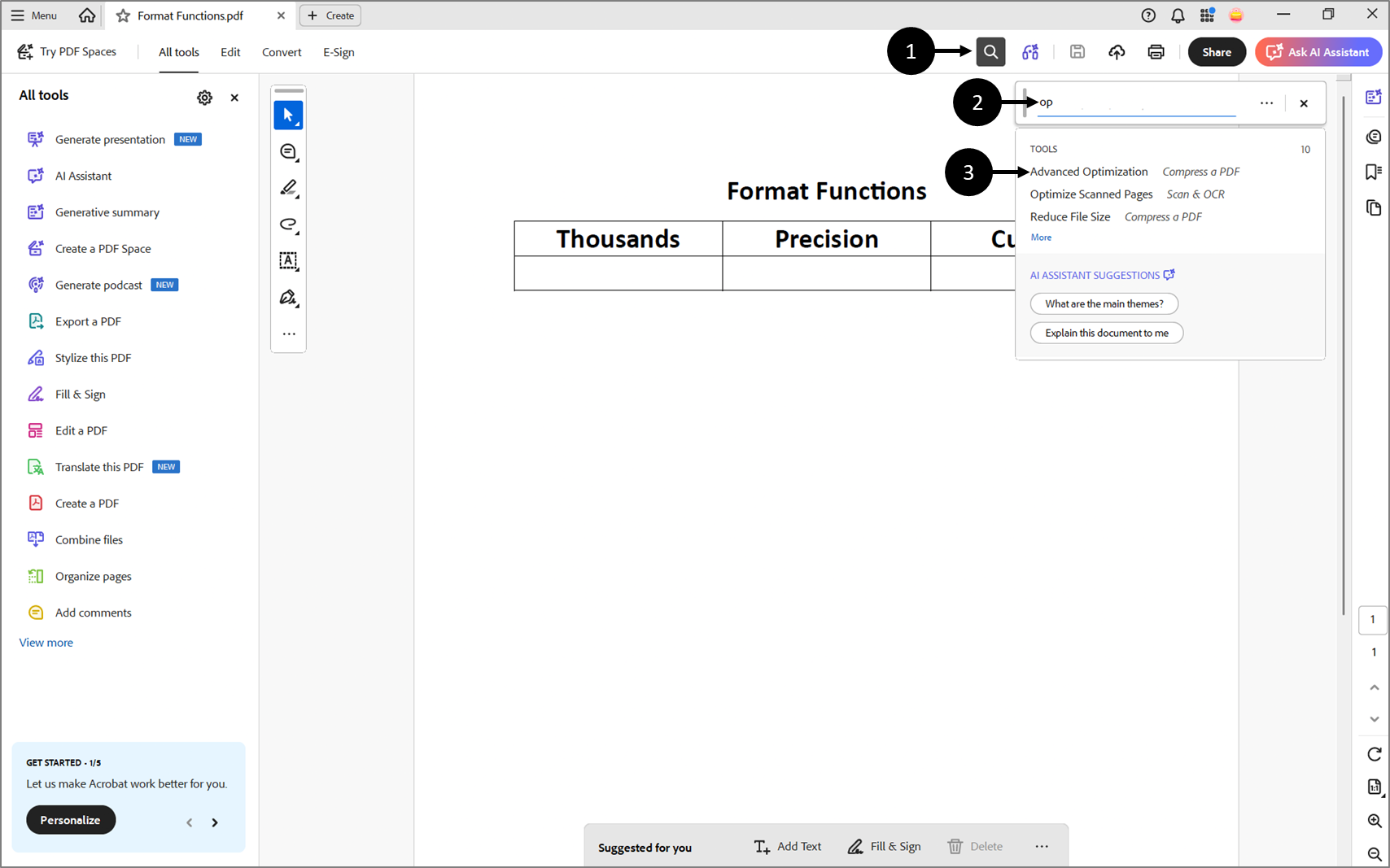
Figure 2: Advanced Optimization Feature
- Click the search icon (1).
- Start typing to search for the Advanced Optimization feature (2).
- When the option appears (3), click it.
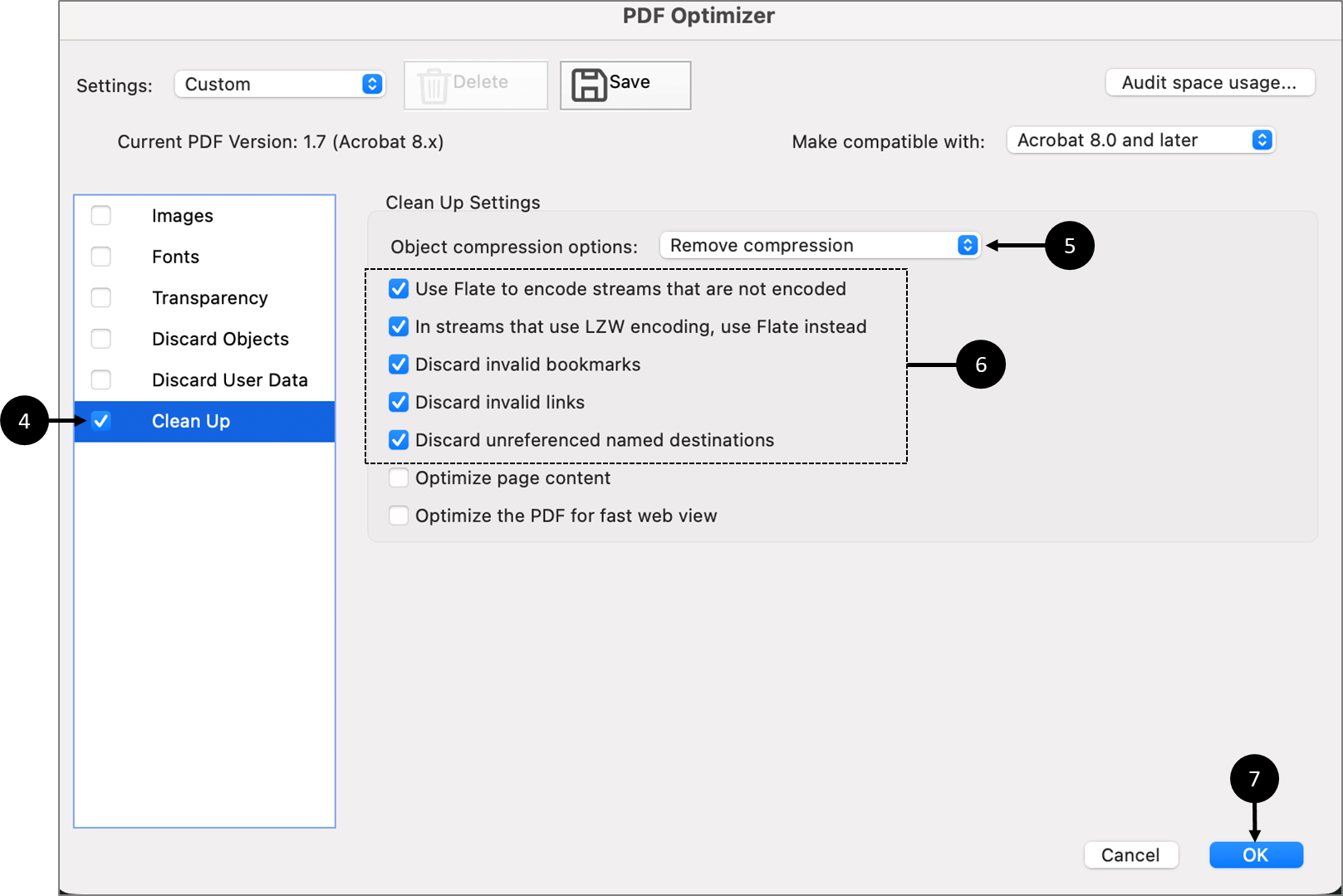
Figure 3: PDF Optimizer
- When the PDF Optimizer window appears, check the Clean Up checkbox (4).
NOTE
IF other checkboxes are already checked, uncheck them.
- For Object compression options, select Remove compression (5).
- Check the boxes (6).
- Click OK (7).
- Save the PDF.
- Upload the saved PDF to the Builder
NOTE
If the troubleshooting steps did not work, please get in touch with our support team.