Article Overview
The following article describes the steps to track EasySend sessions on monday.
How to Track EasySend Sessions
(See Figure 1 and Figure 2)
To track EasySend sessions, perform the following steps:
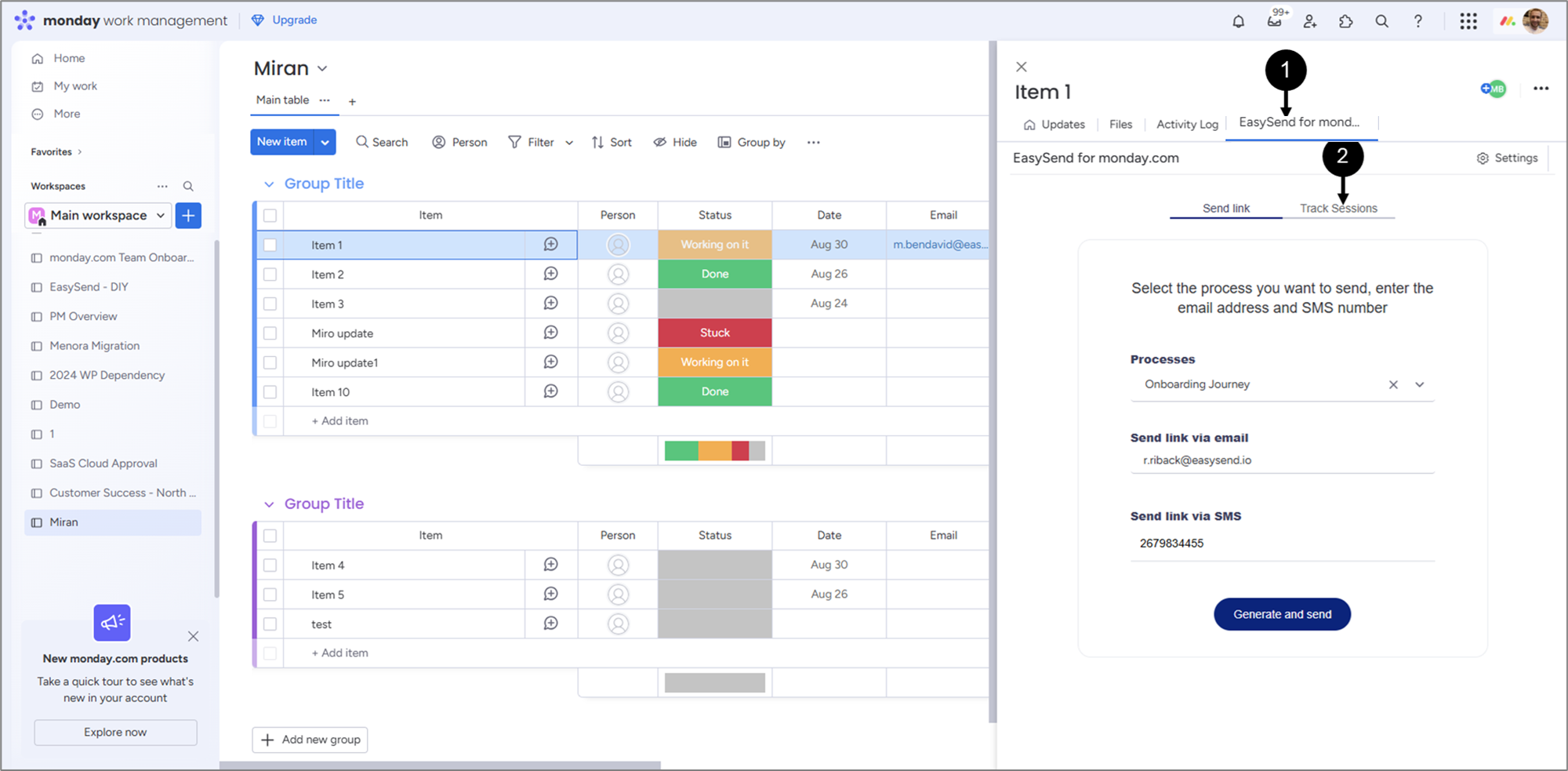
Figure 1: Track Sessions
- Access your resources (source, workspace, board) and click an item.
- Click the EasySend for monday.com view (1).
- Click Track Sessions (2).
Result:
A list of EasySend sessions appears (3):
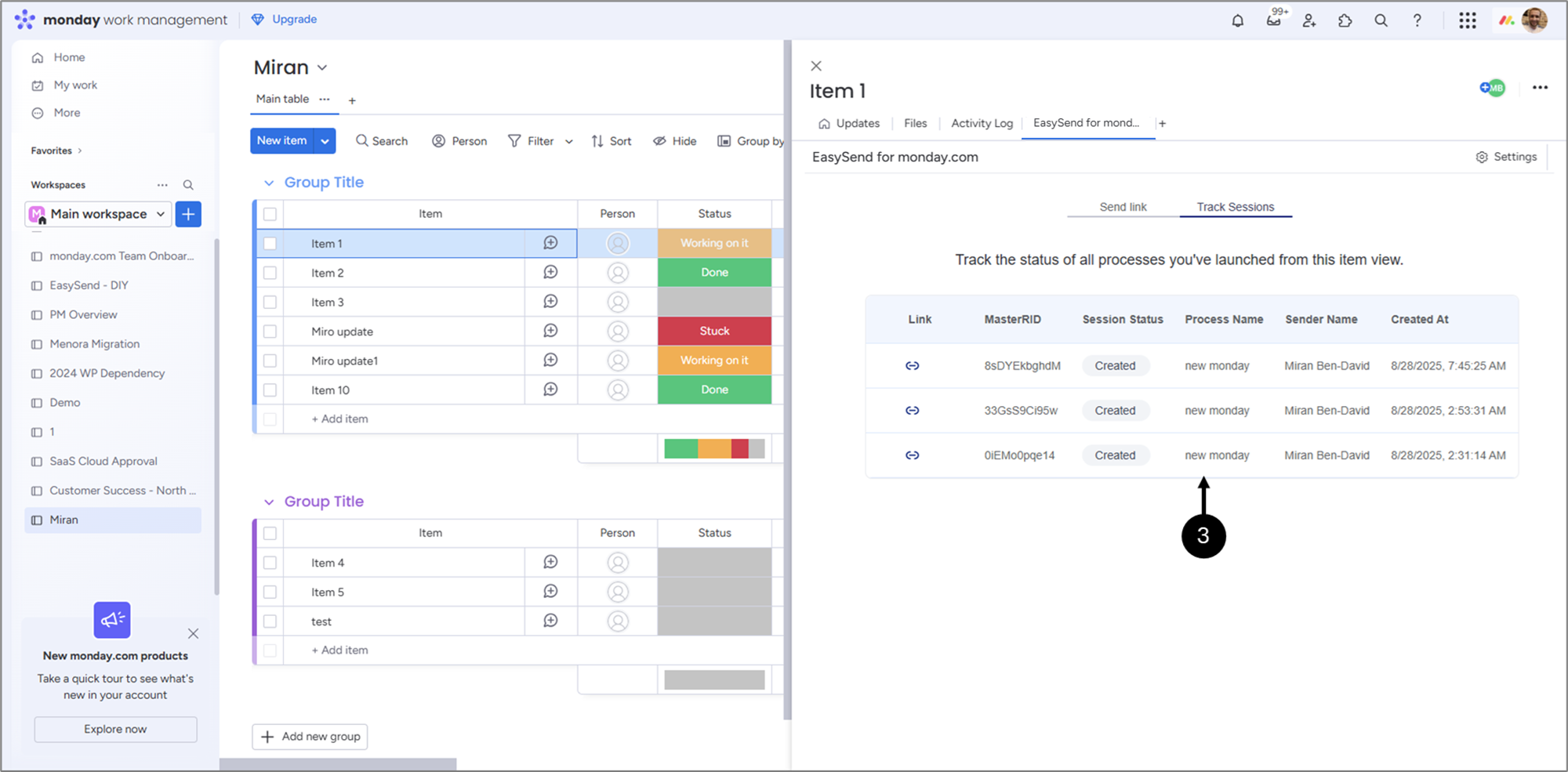
Figure 2: Sessions
Each session contains the following information:
- Link - enables you to copy, paste, and use the link
NOTE
Each link is valid for one submission only. If a user tries to access a link after the submission has been completed, an error message will be displayed.
- MasterRID - the session's unique identifier
- Status:
- Created
- Opened
- Completed
- Name
- Sender Name
- Created At
NOTE
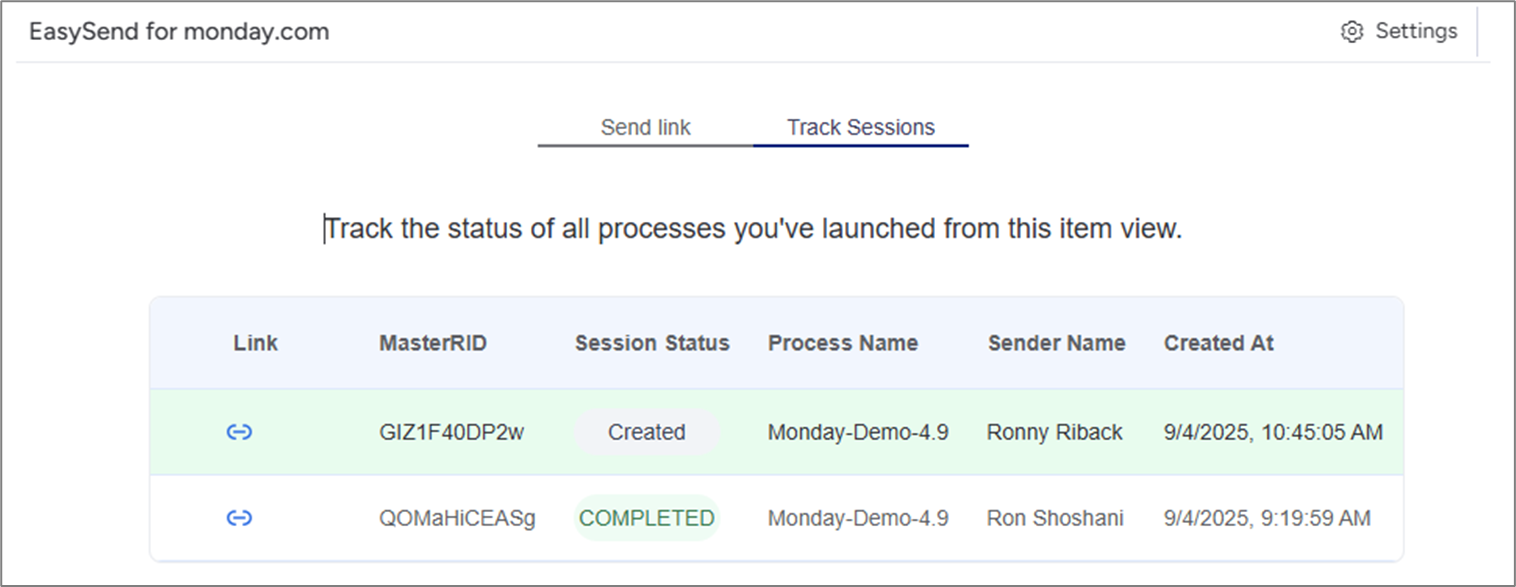
After clicking Generate and send, you will be automatically redirected to the Track Sessions tab, where the sent journey information is highlighted in green.