Article Overview
The following article describes the structure of a theme.
Theme Structure
(See Figure 1)
After clicking a theme from the list, you can edit it. Each theme contains three sections:
- Left section - enables you to edit components style.
- Middle section - enables you to edit:
- Components
- Assets
- Pages
- Right section - enables you to set your theme branding:
- Colors
- Typography
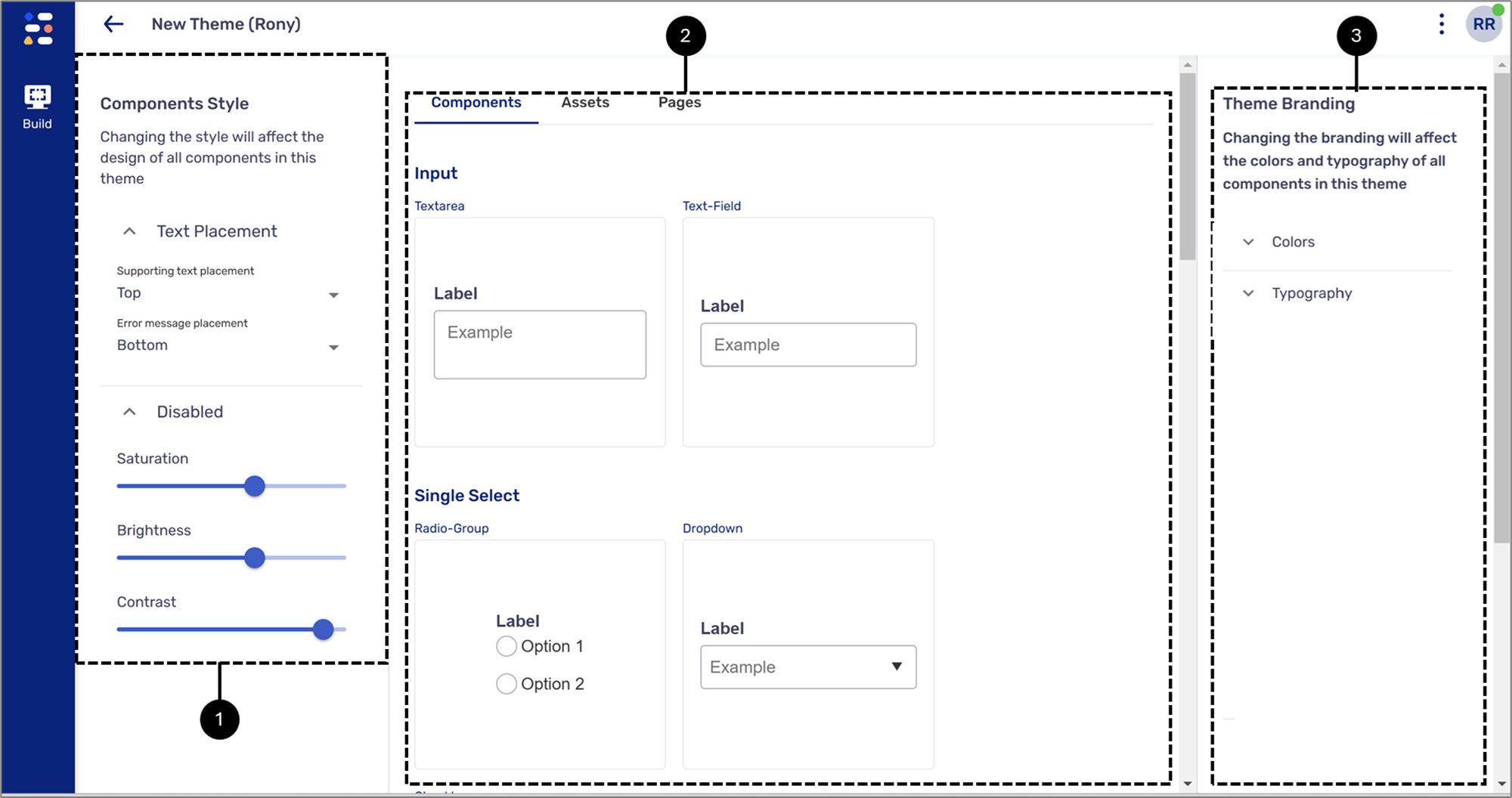
Figure 1: Theme Structure