Article Overview
The following article describes how to edit your theme using the available options in its left section.
Left Section Editing Options
(See Figure 1)
Using the left section you can edit the style of your components:
NOTE
changing the style will affect the design of all components in the theme.
- Text Placement:
- Supporting text placement:
- Top
- Bottom
- Error message placement:
- Top
- Bottom
- Supporting text placement:
- Disabled - the style of the component when it is disabled:
- Saturation
- Brightness
- Contrast
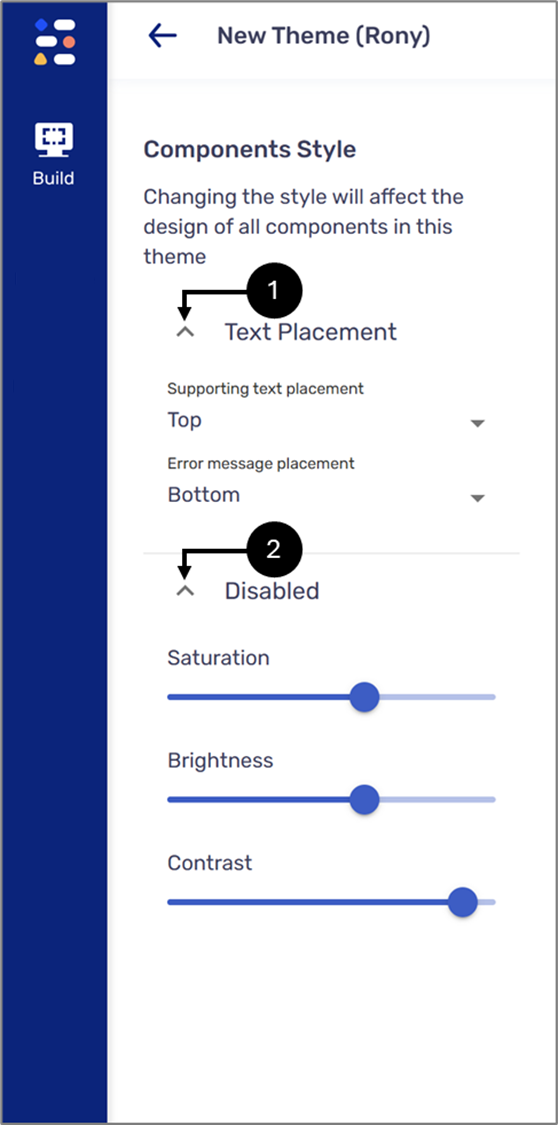
Figure 1: Left Section