Article Overview
The following article describe EasySend's data retention policy and the signature authentication feature.
- The data retention policy is available on environments with version 20.14.0 and above.
- The signature authentication feature is available on environments with version 20.17.2 and above.
EasySend's Data Retention Policy
Data retention is a core feature that allows EasySend to configure data retention periods across the following areas:
- Service Logs
- Journey Tracker
- Tracking Reports
Retained data, can be used for analytics and troubleshooting.
How to configure the Data Retention Period?
(See Figure 1)
The data retention period is configured through the Customer Settings screen using the Logs Data Retention Period option (1):
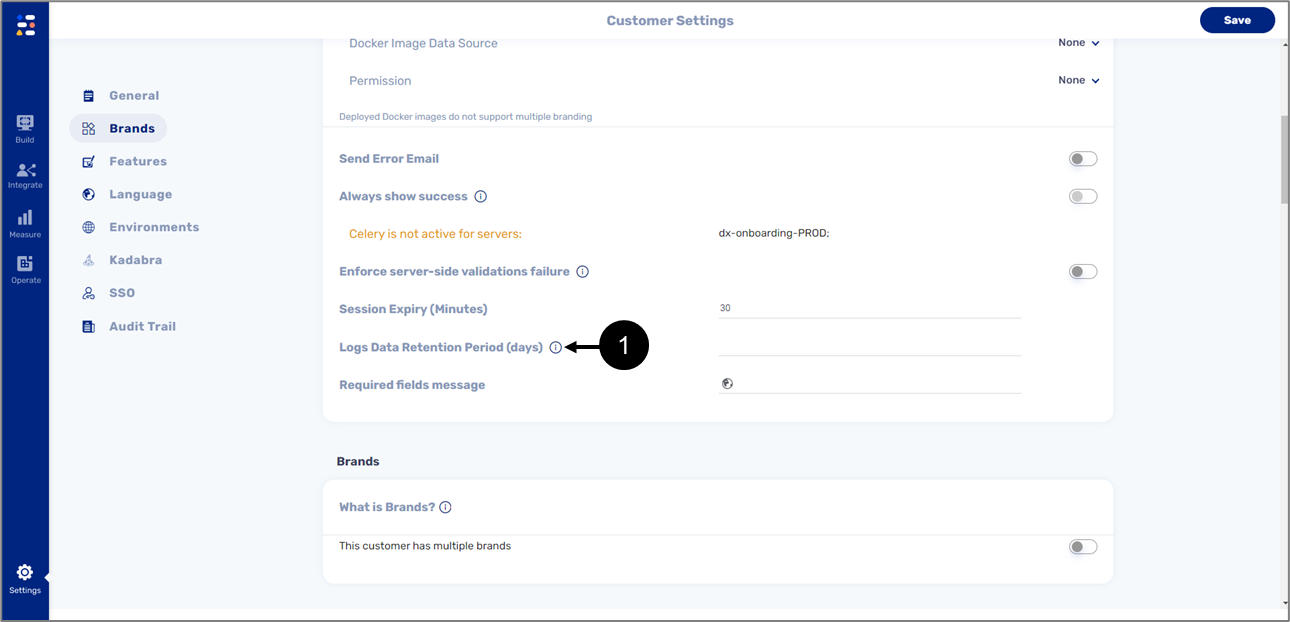
Figure 1: Customer Settings Screen
The data retention period is configured through the Customer Settings screen using the Logs Data Retention Period option (1):
The Customer Settings screen can only be accessed by EasySend, for further information, please contact our support team.
Signature Authentication
(See Figure 2)
EasySend's platform is now on the Adobe Approved Trusted List (AATL). The AATL allows users of Adobe Acrobat to determine whether a document that was signed with an e-signature is trusted.
EasySend's produces e-signature signed PDFs that are AATL-trusted using its platform and EasySign.
In Adobe acrobat, there are special icons for a AATL-trusted document to displays whether the company's e-signature software is AATL approved or not:
- Trusted

- Not Trusted

- Partially Trusted

Once the end-user receives a document through the platform or EasySign and opens it using Adobe Acrobat, the following message will appear (1):
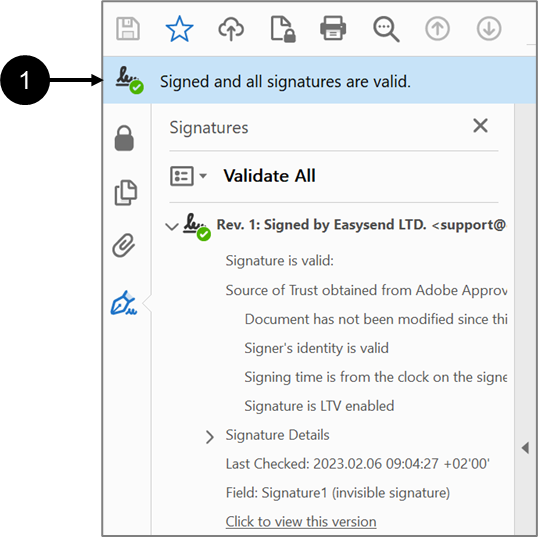
Figure 2: Trusted Message on Adobe Acrobat