Article Overview
This article defines how Time-to-Live (TTL) and Data Retention work within a digital process transaction lifecycle. It also clarifies configuration rules, system limits, and the hierarchy that determines which values are applied.
What is TTL?
(See Figure 1 and Figure 2)
TTL refers to the duration a transaction link remains active before it expires.
- Maximum allowed - 90 days
- Configurable per process (not per step)
- Can be set at:
- Process level (Process Settings)
- Customer level (Customer Settings)
NOTE
Please note that access to Customer Settings must be done by contacting EasySend.
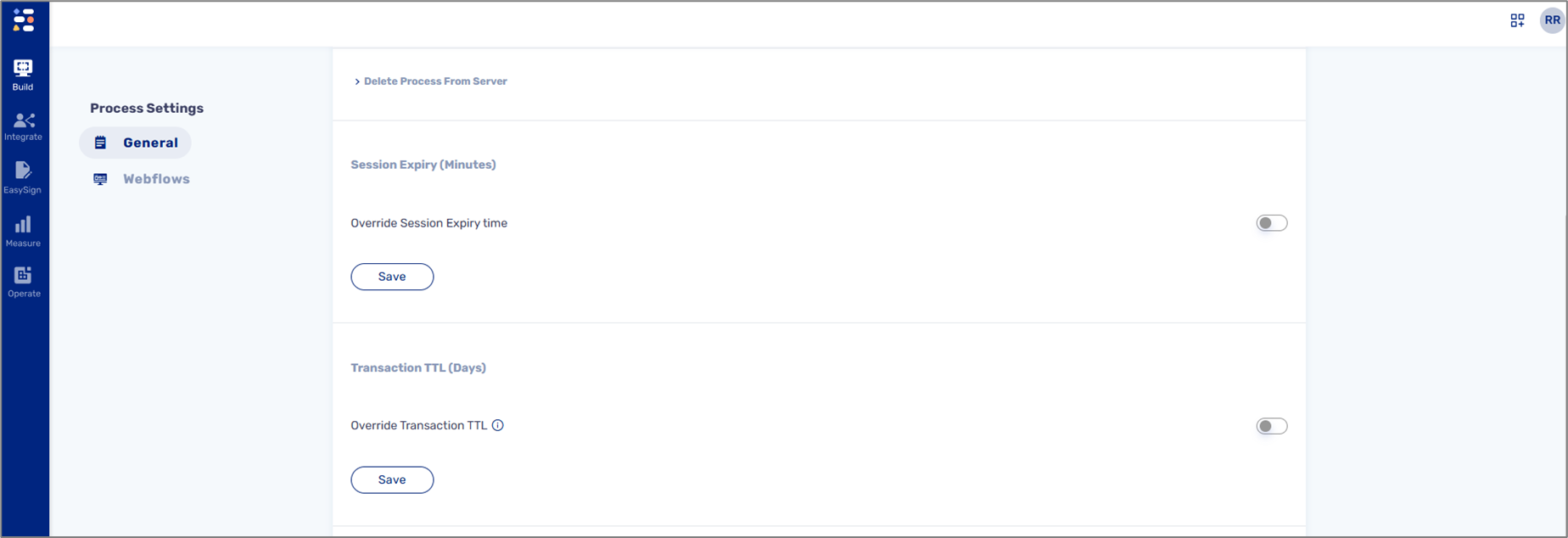
Figure 1: Process Settings - TTL
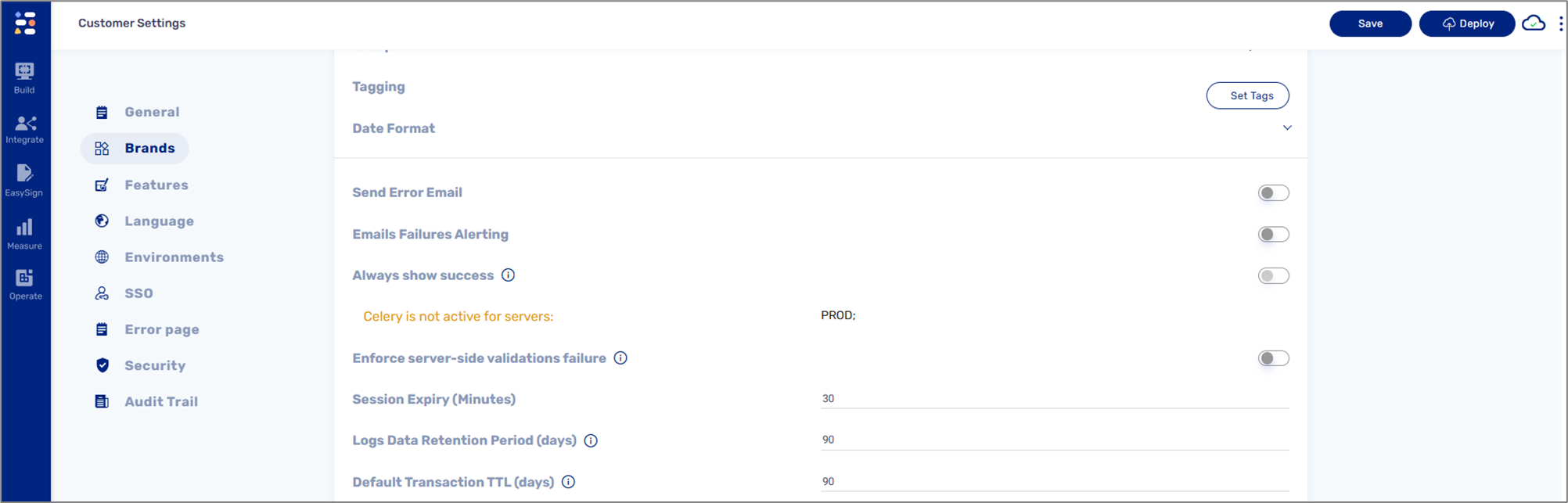
Figure 2: Customer Settings - TTL
What is Data Retention?
(See Figure 3)
The duration for which processed data is stored in our systems, for example:
- Tracking (Journey Tracker)
- Analytics (dashboards)
- Transaction Logs
- Reports
Key rules
- Maximum allowed - 90 days
- Must always be greater than or equal to TTL
- Can be set at - Customer Settings
NOTE
Please note that access to Customer Settings must be done by contacting EasySend support.
Figure 3: Customer Settings - Data Retention
Configuration Hierarchy
When TTL or data retention values are not explicitly defined, the system applies the following hierarchy:
- Process Settings (highest priority)
- Customer Settings
- Environment Variables (fallback)
This means that:
- A value set at the process level overrides all others
- If not defined, the system falls back to customer-level settings
- If still undefined, environment defaults are applied
Best Practices
To avoid unexpected behavior:
- Ensure TTL and Data Retention are aligned across all configuration levels
- Contact EasySend support for any required Customer Settings configurations
- Double-check configurations at the process level, especially due to the current validation gap
- Avoid relying on fallback values unless intentionally designed
- Keep configurations consistent across environments
NOTE
If your use case requires exceeding the 90-day limit, please contact EasySend support.