Article Overview
The following article describes the Grid component.
The Grid Component
A component that helps to arrange different components while maintaining a good visual balance. When clicking a Grid, plus (1) and minus (2) buttons appear. Using these buttons you can add or remove rows and columns (see Figure 1). Figure 2 displays a Grid (1) placed inside a Container component (2). The Grid contains two Text Field components (3).
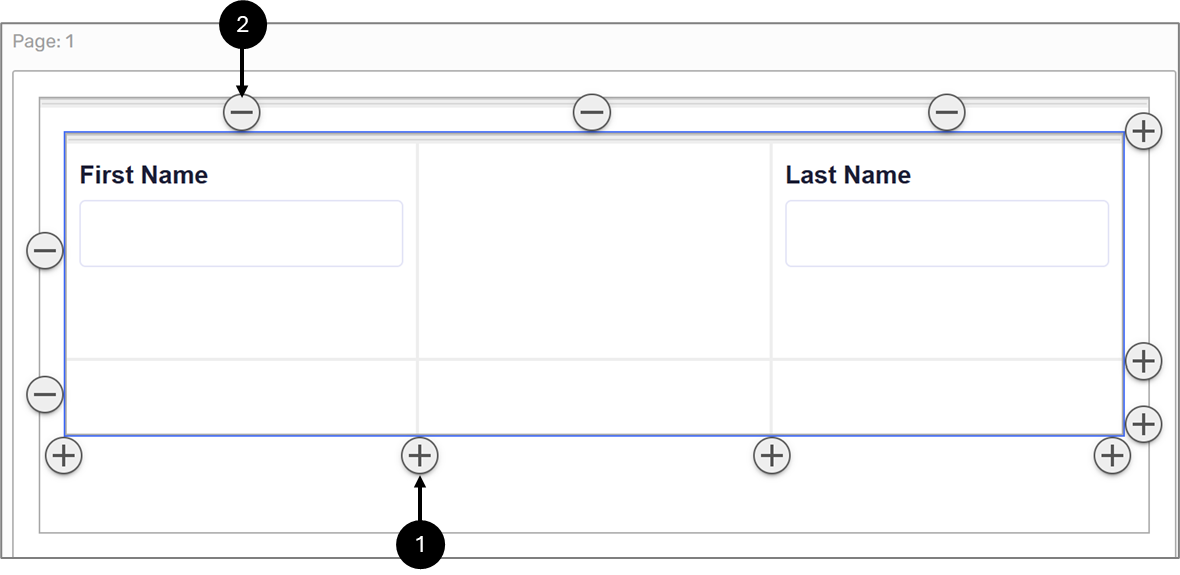
Figure 1: Add/Remove Buttons
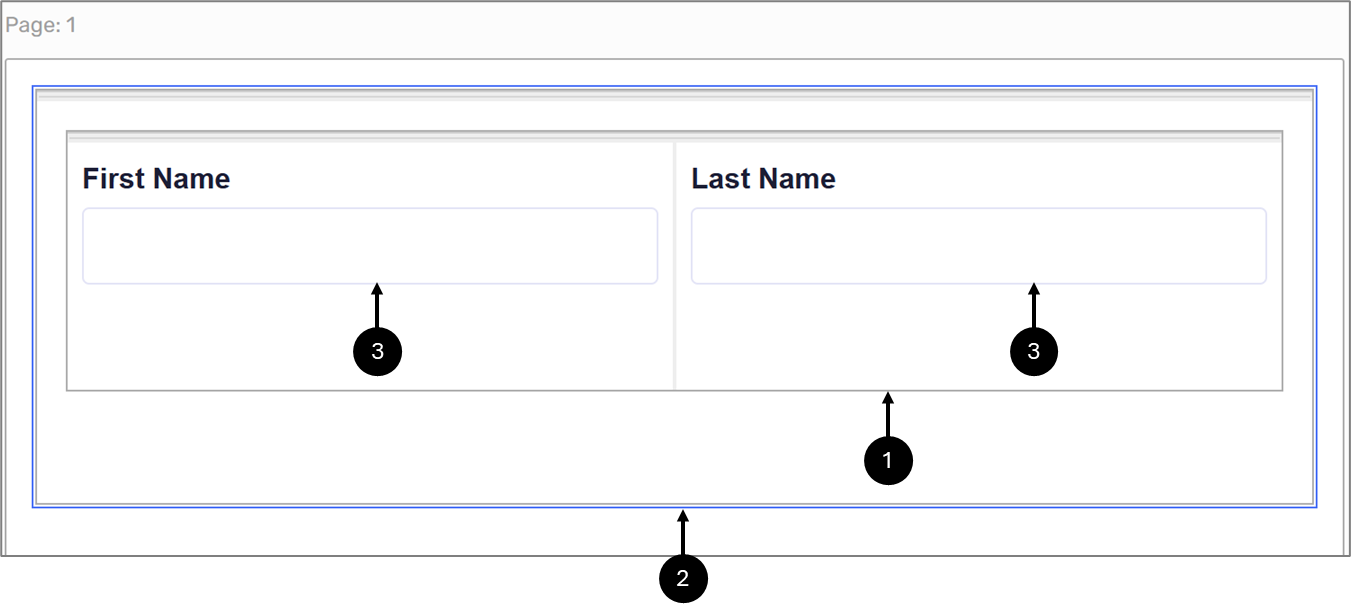
Figure 2: Grid Component