---
title: "Injecting JavaScript into a Process"
slug: "injecting-javascript-into-a-process"
updated: 2026-04-28T14:33:07Z
published: 2026-04-28T14:33:07Z
canonical: "kb.easysend.io/injecting-javascript-into-a-process"
---
> ## Documentation Index
> Fetch the complete documentation index at: https://kb.easysend.io/llms.txt
> Use this file to discover all available pages before exploring further.
# Injecting JavaScript into a Process
## Overview
The following article describes how to inject JavaScript into an EasySend process.
## Why Inject JavaScript?
Injecting JavaScript allows you to make your EasySend processes more dynamic, interactive, and responsive to user actions. Injecting JavaScript means adding JavaScript code into a process to:
- Control the behavior of the page (button clicks, animations).
- Dynamically change content (show/hide elements, load data).
- Interact with the user (forms, popups, confirmations).
## How to Inject JavaScript Into a Process?
There are two ways to inject JavaScript into a process.
### Customer Settings Screen
(See **Figure 1**)
The Environments section contains a list of your EasySend environments - dev and Prod. Under each environment, there is a Configure button to inject JavaScript into a Player's HTML header.
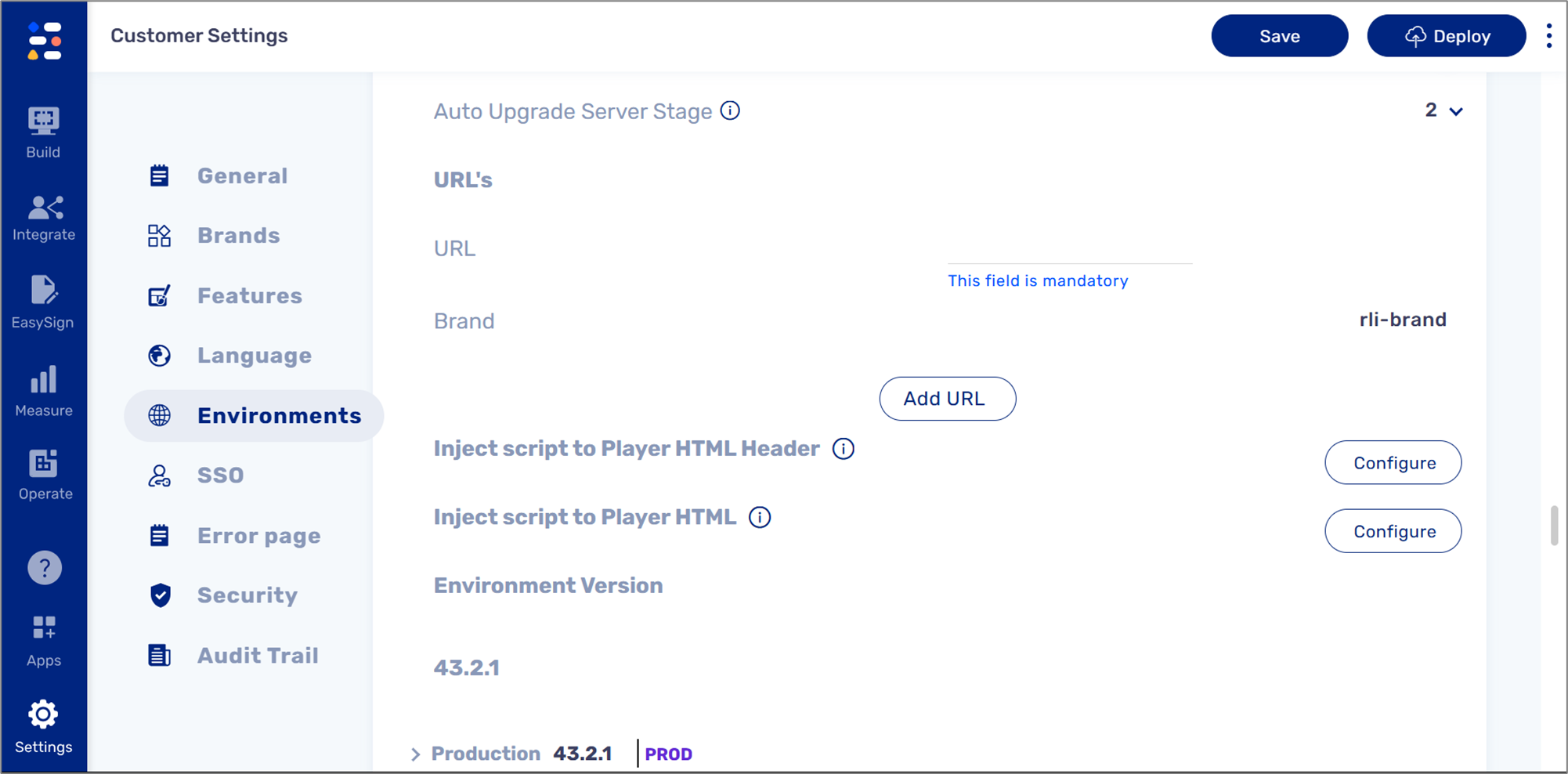
**Figure 1: Customer Settings**
NOTE
- The Customer Settings screen can only be accessed by EasySend. For additional information, please contact our support.
- To use this option, you will have to provide EasySend with the relevant code.
- Injecting JavaScript into an environment will affect all of its existing processes.
### Process Settings Screen
(See **Figure 2** and **Figure 3**)
The Webflow section contains the Init option to configure and inject JavaScript into a specific Webflow (a process can contain more than one).
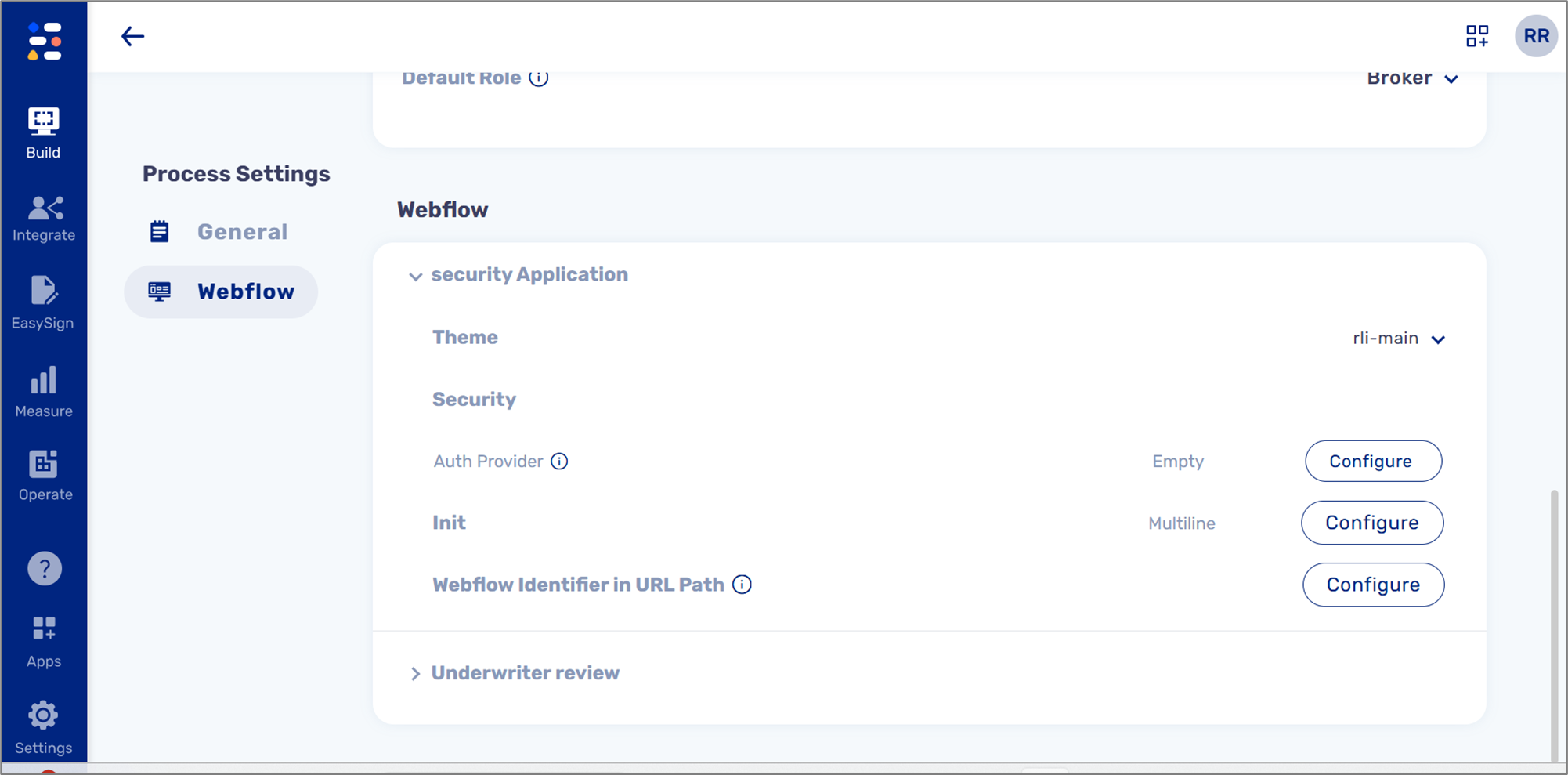
**Figure 2: Process Settings**
The injected code must be written according to the following format:
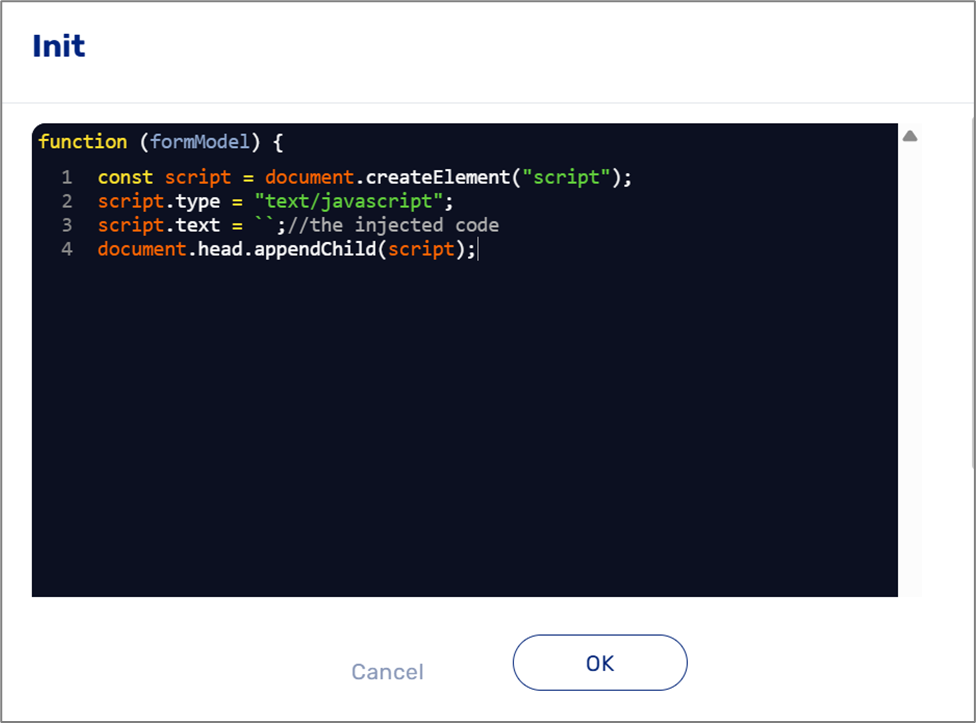
**Figure 3: Format For Injecting JavaScript**
NOTE
- Injecting JavaScript using the Process Settings screen will affect only a specific process, regardless of the deployed environment.
- Line number 3 is where you inject your JavaScript code.
- For additional information, please contact our support.
## Use Case Example
The most common use case for injecting JavaScript into a process is to load third-party plugins such as Google Analytics and accessibility add-ons.
### Example - Injecting Google Analytics
Injecting JavaScript for Google Analytics helps you track and analyze user behavior like page visits, button clicks, or time spent on a page.
JavaScript example:
```javascript
```
This is an example of:
- Loading the Google Analytics library (gtag.js) asynchronously.
- Initializes the gtag function.
- Sending a pageview event every time the page loads.